Quantower Guides
Quantower Auto Breakeven and Trailing Stop: What Works and How
Searching for Quantower auto breakeven? Quantower has a breakeven button and trailing stop orders, but its docs show no setting that moves your stop to breakeven automatically at a profit level. Here are your options.
Quantower native
Break even button
Built in, manual- Chart sidebar Break even, or Breakeven in the Positions panel
- Breakeven Offset, ticks (since 1.146.3)
- You click it at the right moment
Best for: traders who decide each move.
Quantower native
Trailing stop
Built in, by connection- Server-side Trailing Stop on Rithmic
- Not available on CQG (Trailing Limit algo instead)
- Trailing option in Local SL/TP
Best for: a plain fixed-distance trail.
Add-on
Nexus Chart Trader BE and TRAIL
Lifetime licence- Auto breakeven at ticks, % to target or R
- R ladder that steps the stop up
- Trail by ticks, ATR or swing, multi-step, bar close only
Best for: hands-off stop management. Product page
Do it yourself
Custom strategy
Your time- Code your own stop logic in a Quantower strategy
Best for: developers.
| Feature | Quantower native | Nexus Chart Trader |
|---|---|---|
| Breakeven | Manual button, offset in ticks | Automatic, plus a manual BE +1 |
| Breakeven trigger | You decide | Ticks (default 10), % to target (50), R (1.5), or ATR |
| Breakeven offset | Breakeven Offset, ticks | Breakeven Plus (Ticks), default 1, or an ATR multiple |
| Step the stop up | No | R ladder, default 1.0R steps |
| Trail type | Trailing Stop order where the connection supports it | Ticks, ATR or swing |
| Start trailing after a profit | Not found in the docs | Yes, same triggers as breakeven |
| Multi-step trail | Not found in the docs | Trailing Steps, e.g. 20/8/1, 40/4/4 |
| Trail on bar close only | Not found in the docs | Yes, optional |
Quantower facts from help.quantower.com (chart order entry, Positions panel, order types) and the release notes, checked November 12, 2026.
Using Quantower's manual breakeven
Set the offset
Breakeven Offset, ticks, adds a few ticks beyond your entry so fees are covered.
Wait for profit
Watch the trade until it is far enough in your favour.
Click Break even
From the chart sidebar, or Breakeven / Modify SL to breakeven in the Positions panel.
Watch your take profit
Quantower notes that the Breakeven tool cancels your take profit if the target is not linked to the stop in an OCO group (Quantower blog). Check your bracket is OCO before you rely on it.
What it looks like in Nexus Chart Trader for Quantower
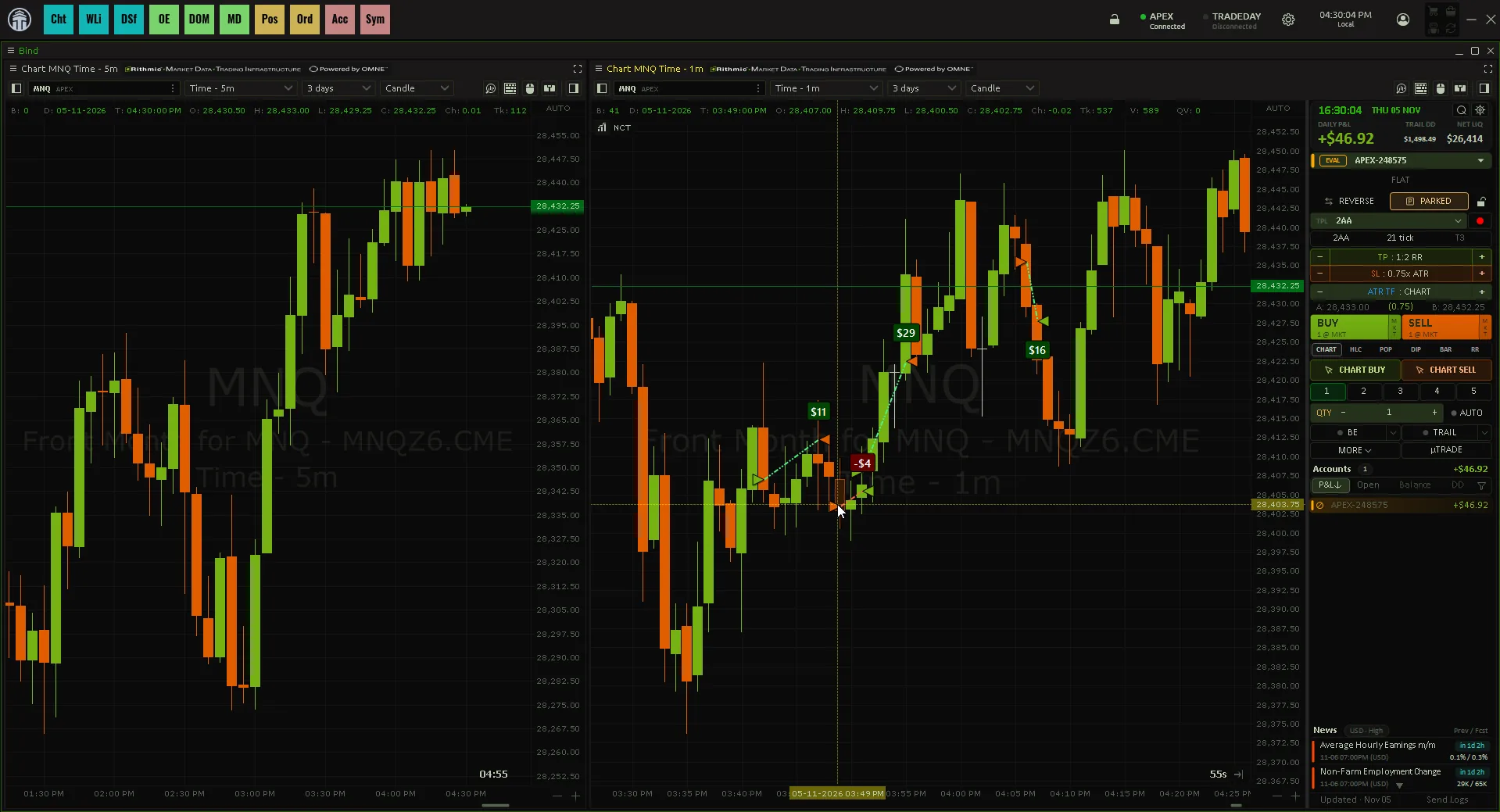
Things to notice:
- BE and TRAIL are two switches. The arrow next to each opens its editor. BE offers TICKS, ATR, % TP, R and LADDER. TRAIL offers TICKS, ATR, % TP, R and SWING.
- The stop only tightens. A trail never moves your stop back against you.
- Trailing Steps change the trail as profit grows. "20/8/1, 40/4/4" means: at 20 ticks profit trail 8 ticks behind in 1-tick steps, at 40 ticks trail 4 behind in 4-tick steps.
- You can trail part of the position. Turn TRAIL on with a smaller quantity than you hold and only that many contracts trail.
- Both switch off after the trade by default, so the next trade starts clean. Save them in a template to reuse.
Which one should you pick?
You like to choose the moment yourself
Quantower Break even button
A plain fixed trail on Rithmic is enough
Quantower Trailing Stop
You want breakeven at 1R and an ATR or swing trail without clicking
Nexus Chart Trader
When not to buy an add-on
If you scalp a few ticks and move the stop by hand, the native button is enough. Automatic rules pay off when you hold trades longer than you can watch every tick. Remember they run only while Quantower is open and connected. Related: Quantower ATM strategy, bracket orders and prop firm risk rules.
Breakeven and trail, on autopilot
Nexus Chart Trader for Quantower moves your stop to breakeven at a tick, percent or R trigger, then trails it by ticks, ATR or swing.
See Nexus Chart Trader for QuantowerNexus Indicator
Published by Nexus Indicator. Nexus sells Nexus Chart Trader for Quantower, which this article mentions. For product, licensing, or setup questions, contact support.