
NinjaTrader trade journal add-on
Best Trading Journal
for NinjaTrader 8.
A NinjaTrader trade journal add-on that auto-logs every NT8 trade to local storage. $349 one-time, not a monthly web journal.
Zero manual entry
Deep analytics
Prop firm rules
Local file storage
Review the storage model before choosing
Local vs. Online Journals
Storage, access, subscription, export, and privacy terms vary by provider.
Third-party storage
Cloud journals store imported or synchronized records on provider-managed infrastructure. Review the provider's security and privacy terms before uploading account data or strategy notes.
Subscription terms
Some journal services use recurring plans. Check which features, storage limits, and account-access terms apply during the subscription and after cancellation.
Export options
Before committing to a service, confirm which trade records, notes, and images can be exported, the available file formats, and whether exports require an active plan.
Privacy terms vary
Collection, processing, retention, and sharing policies differ between providers. Read the applicable privacy terms instead of assuming every service handles trading data the same way.
Nexus Trading Journal stores journal data in local files on your PC.
The $349 one-time purchase does not require a cloud journal account. Use the built-in CSV export when you want a portable copy of the visible trade records.
See the Journal in Action
Trade logs, expenses, payouts, cash flow, and full analytics.
-
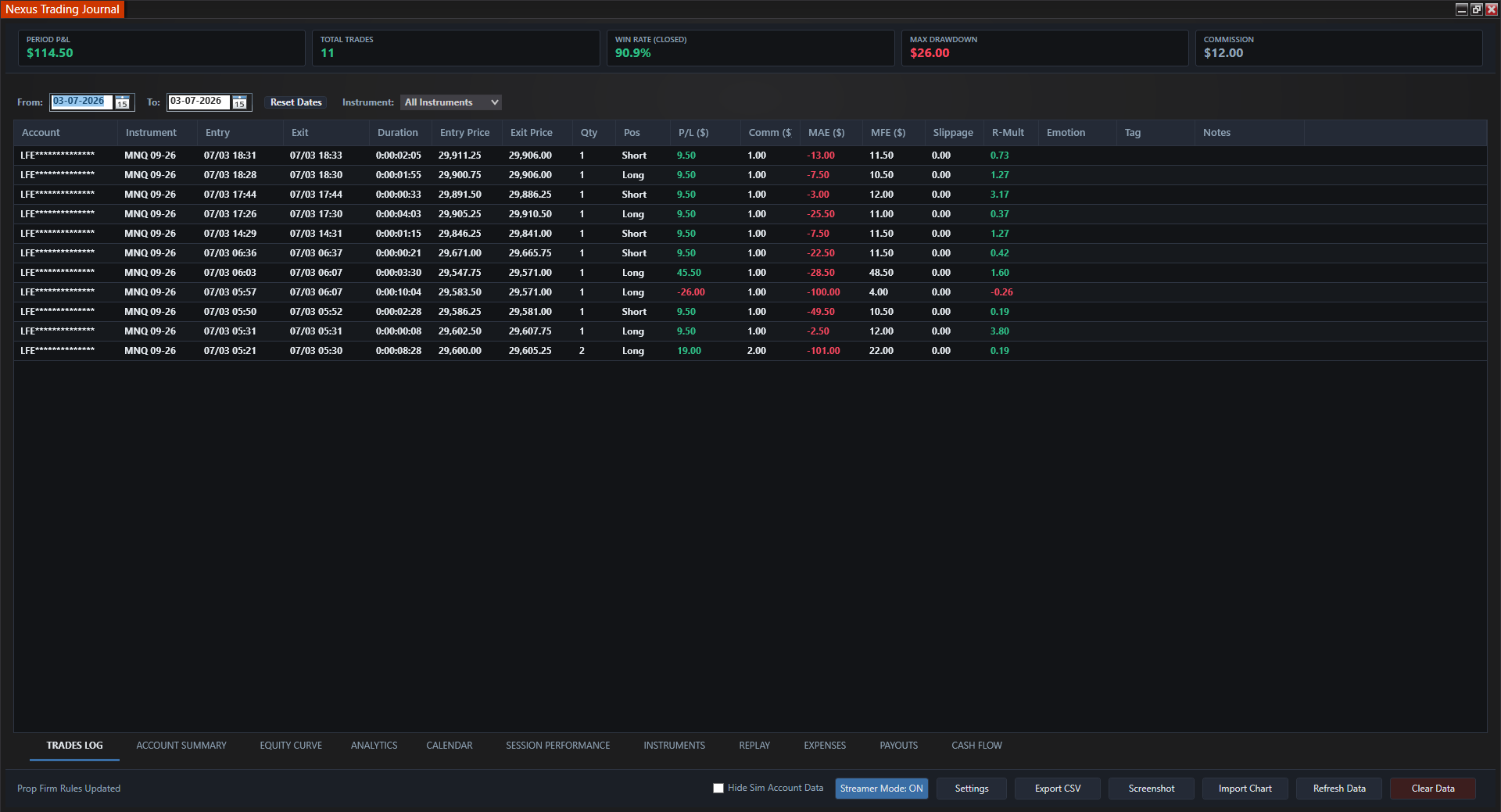
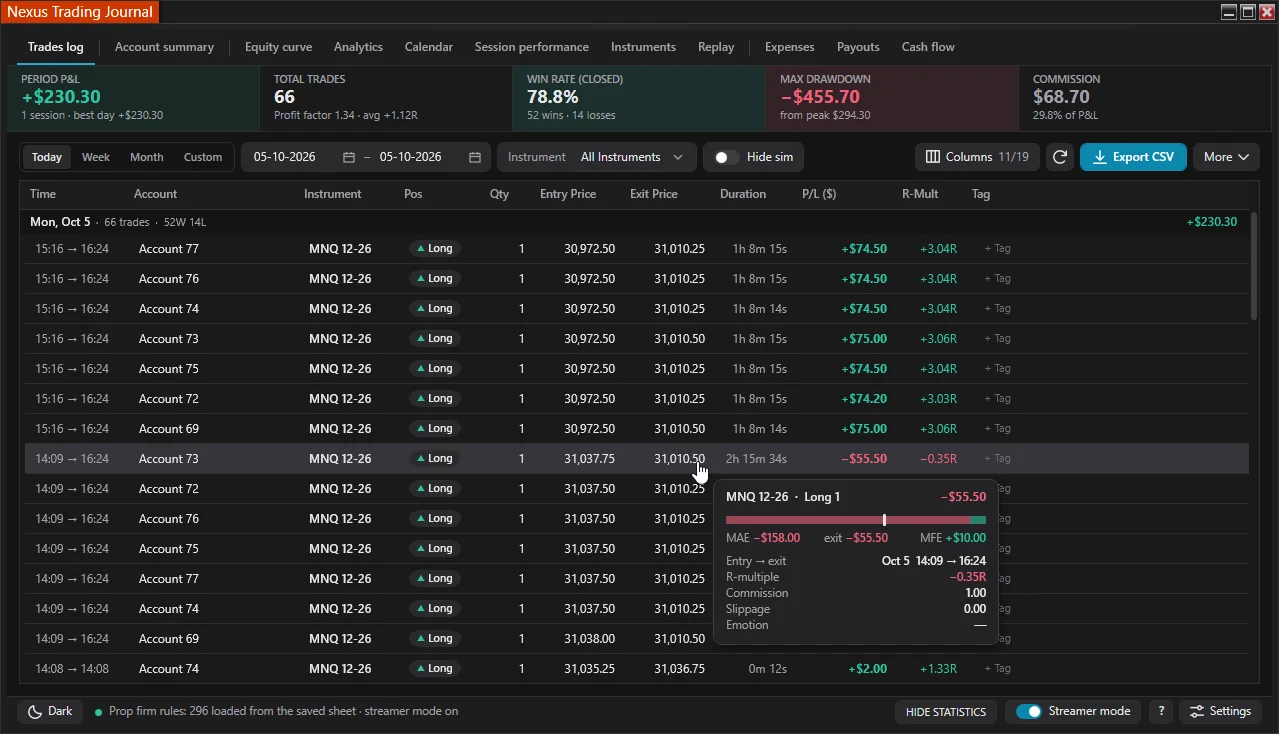
Trade Logs
Auto-captured P&L, MAE/MFE, slippage, tags.
-
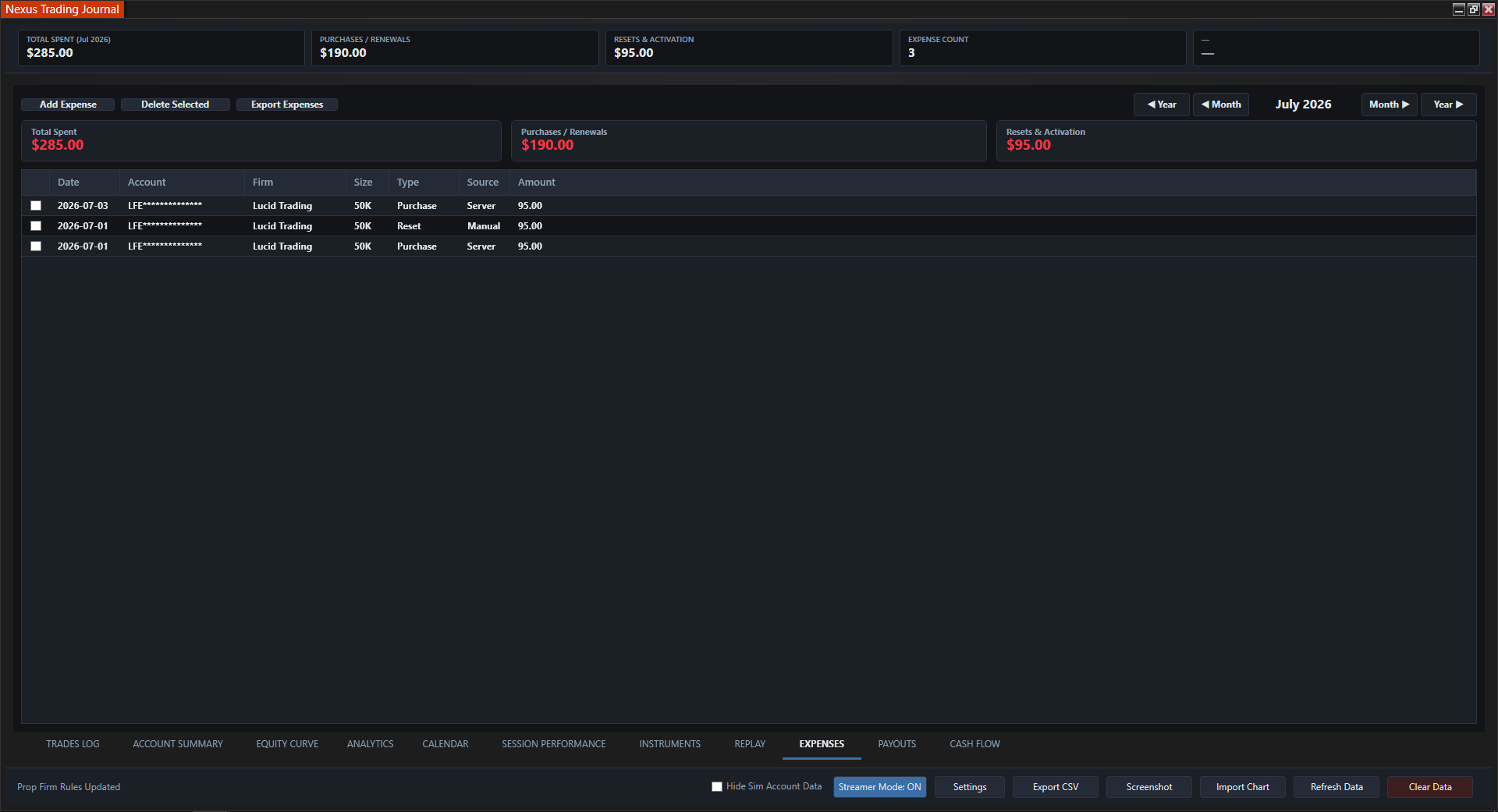
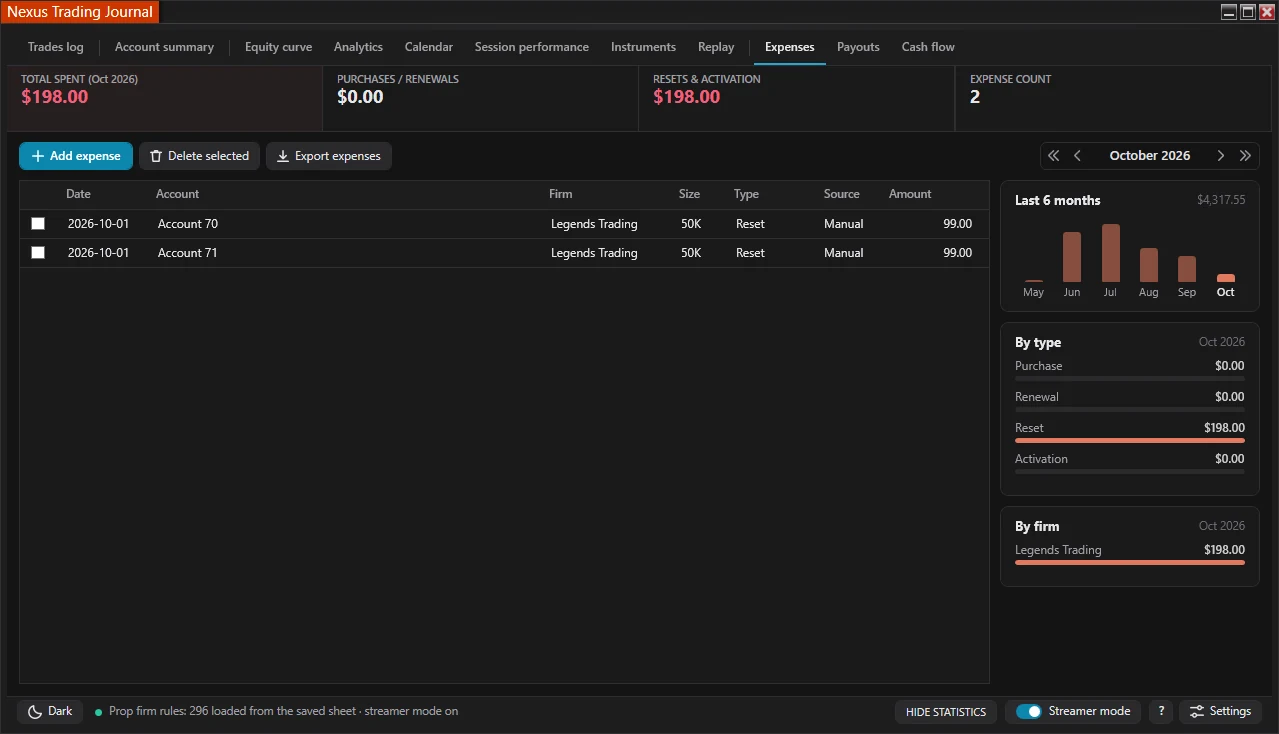
Expenses
Evals, resets, and activation fees for recognized prop accounts; every entry is editable.
-
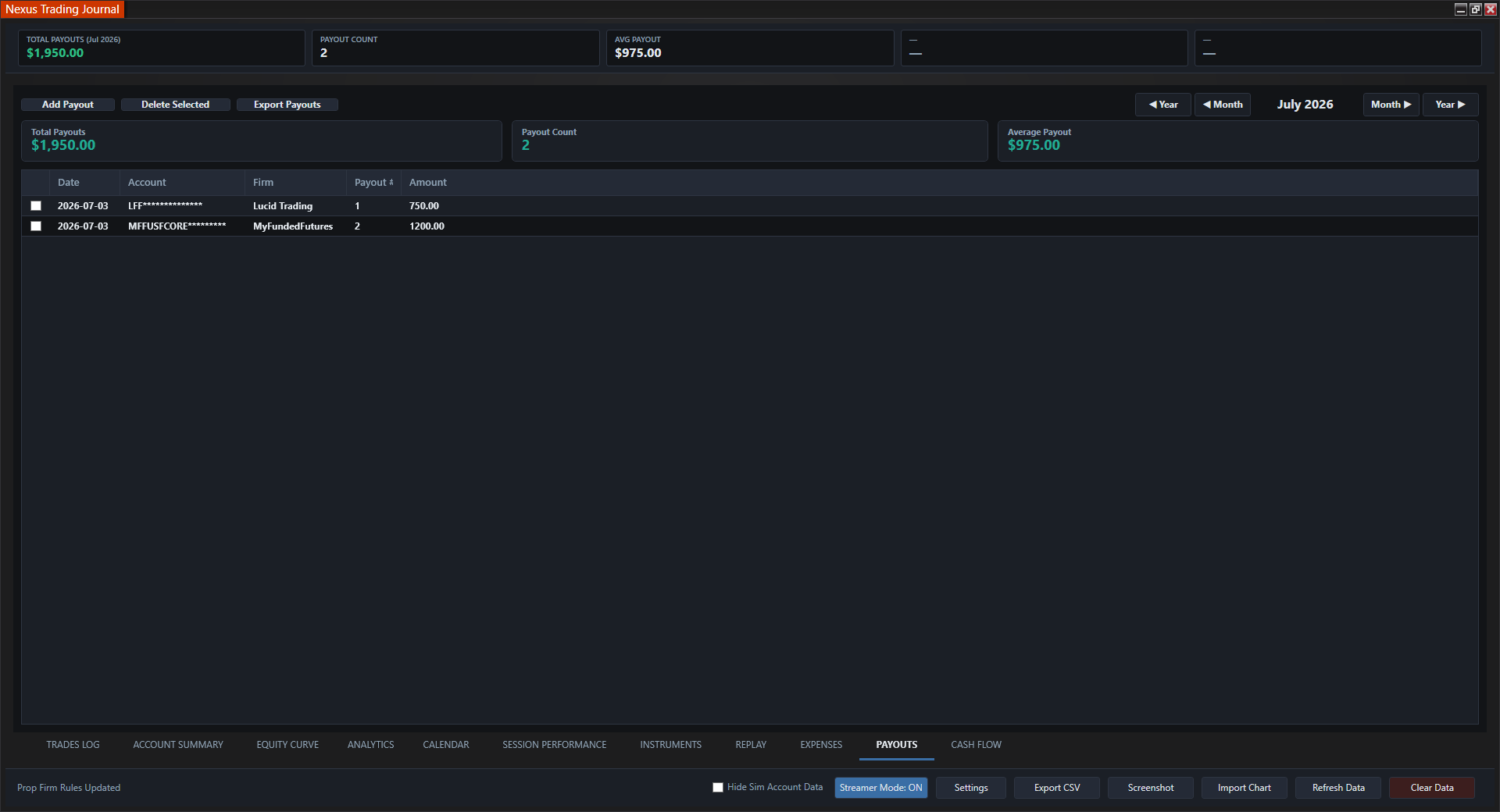
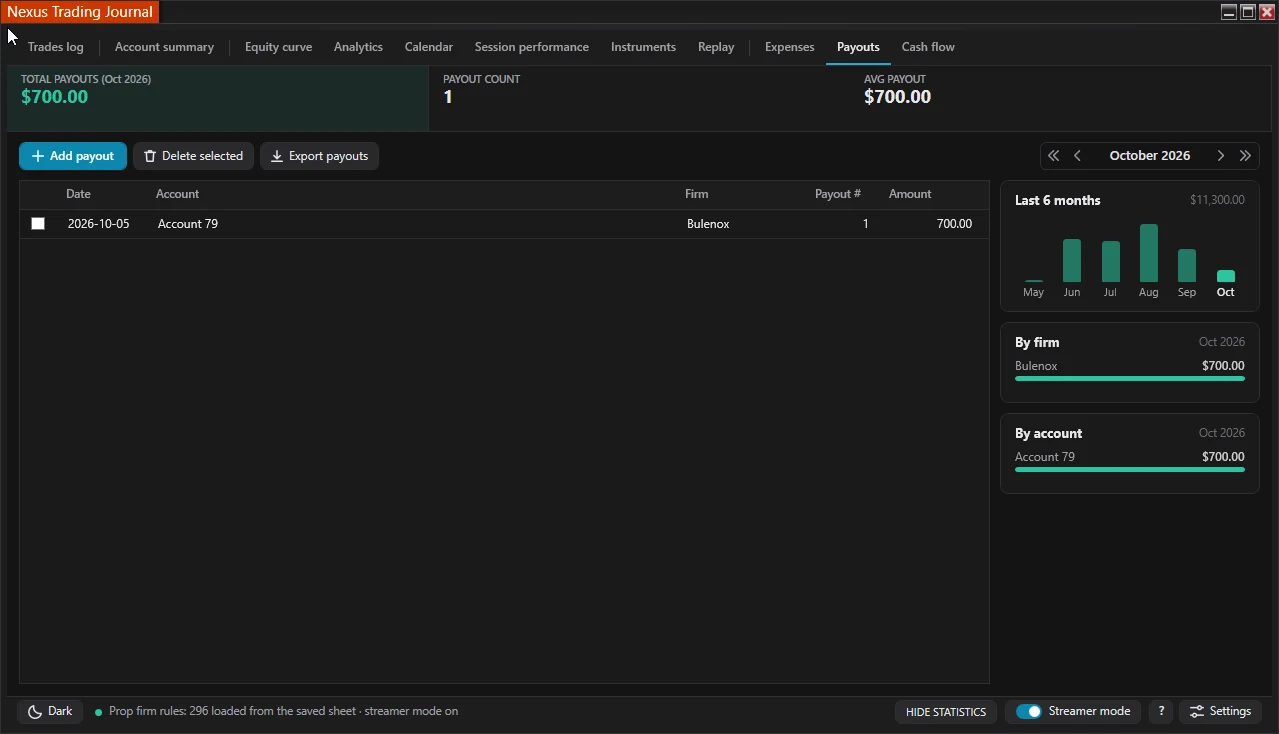
Payouts
Manual payout entries by firm and account.
-
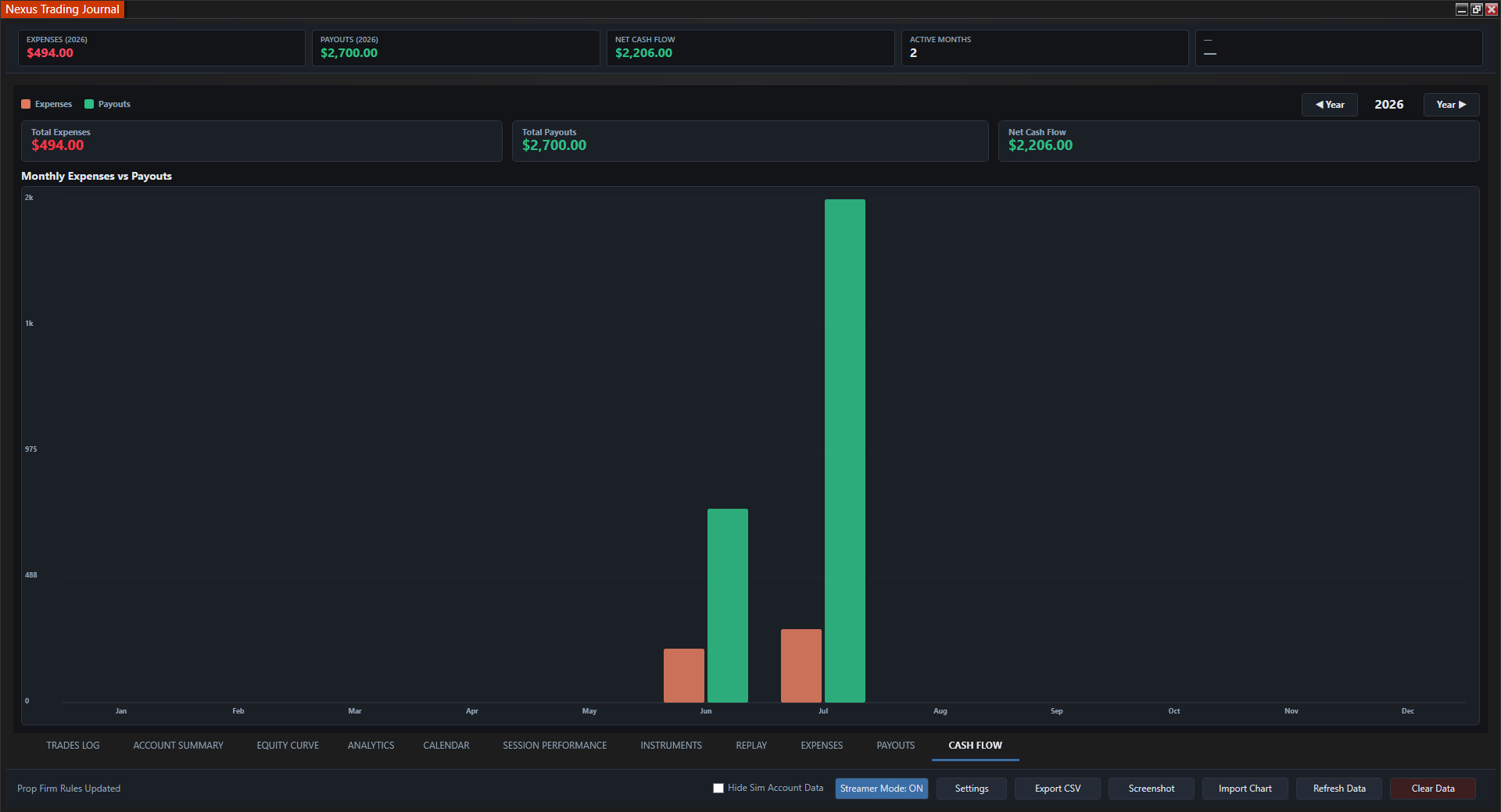
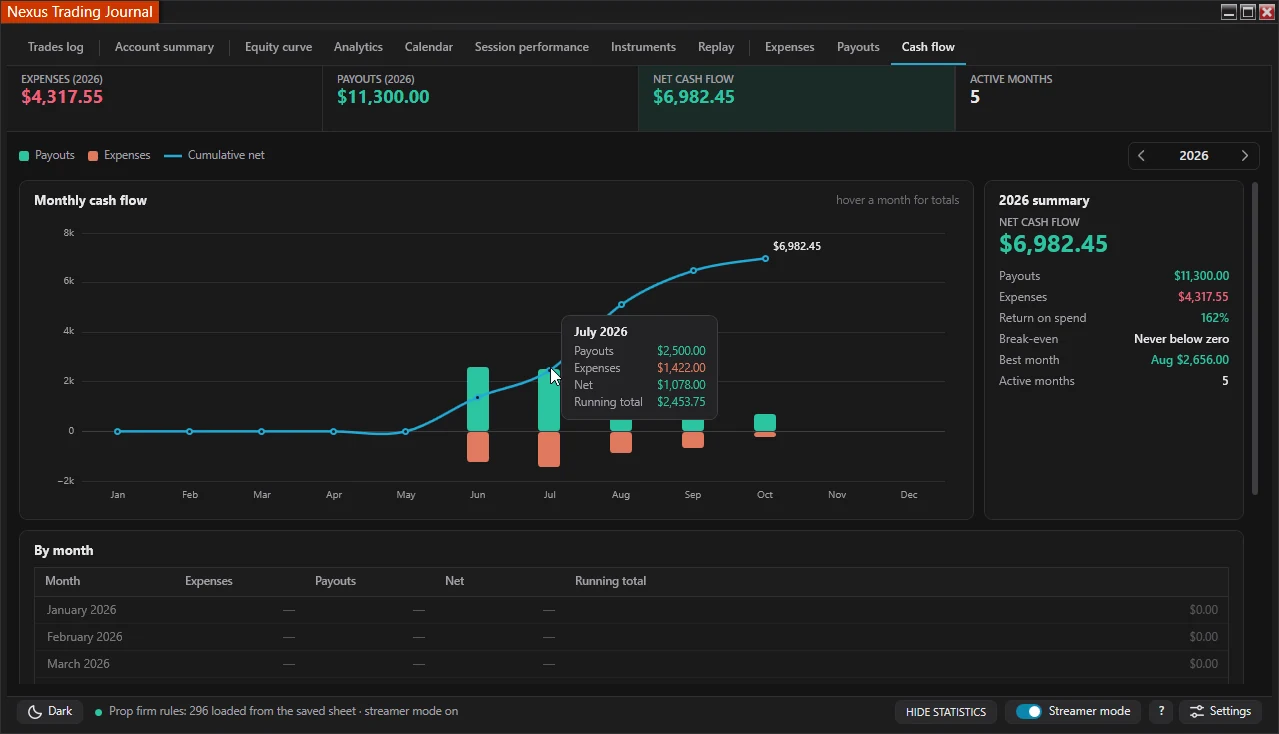
Cash Flow
Monthly bar chart of net prop firm results.
-
Analytics
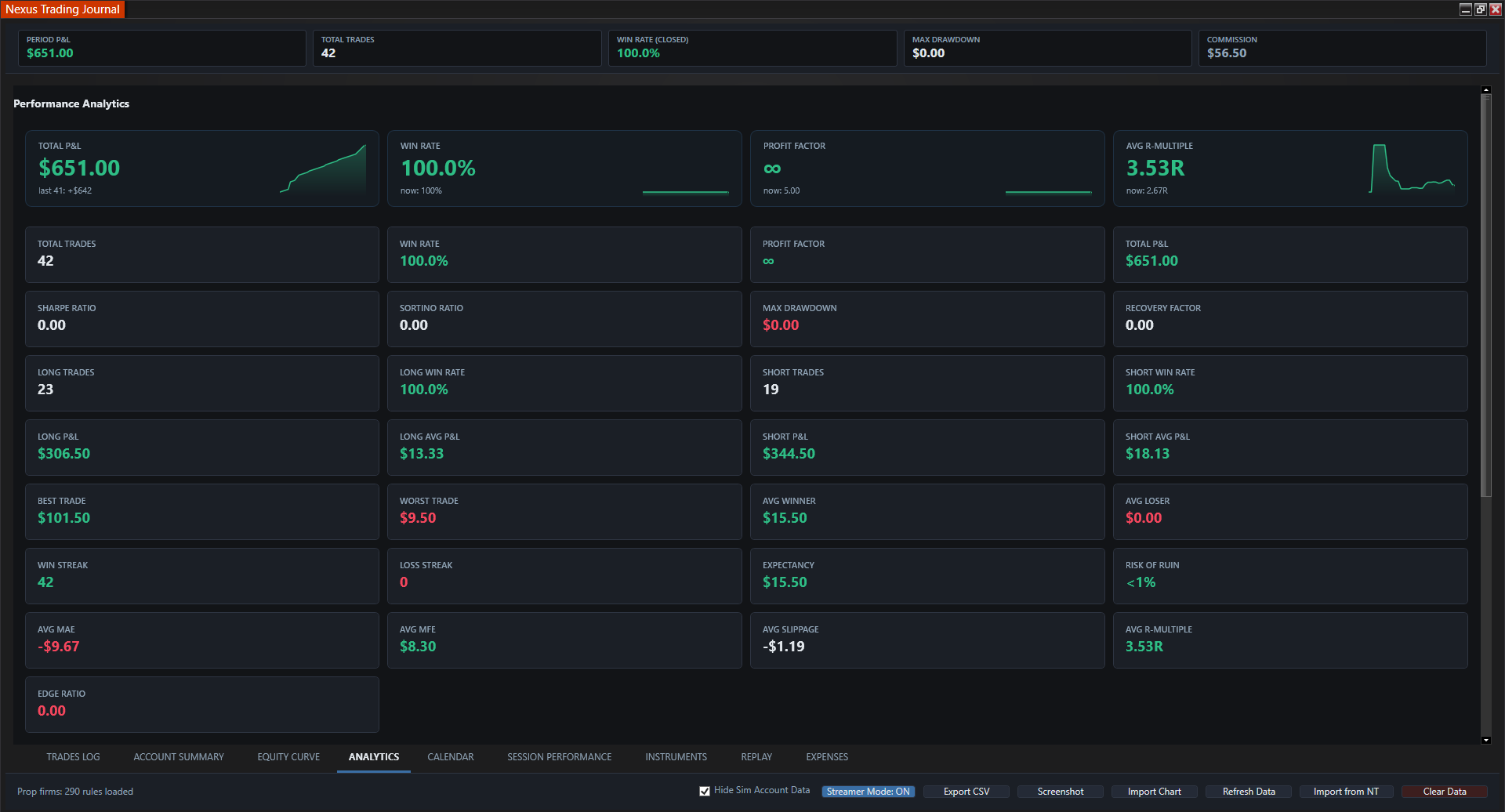
Profit factor, win rate, expectancy, drawdown.
-
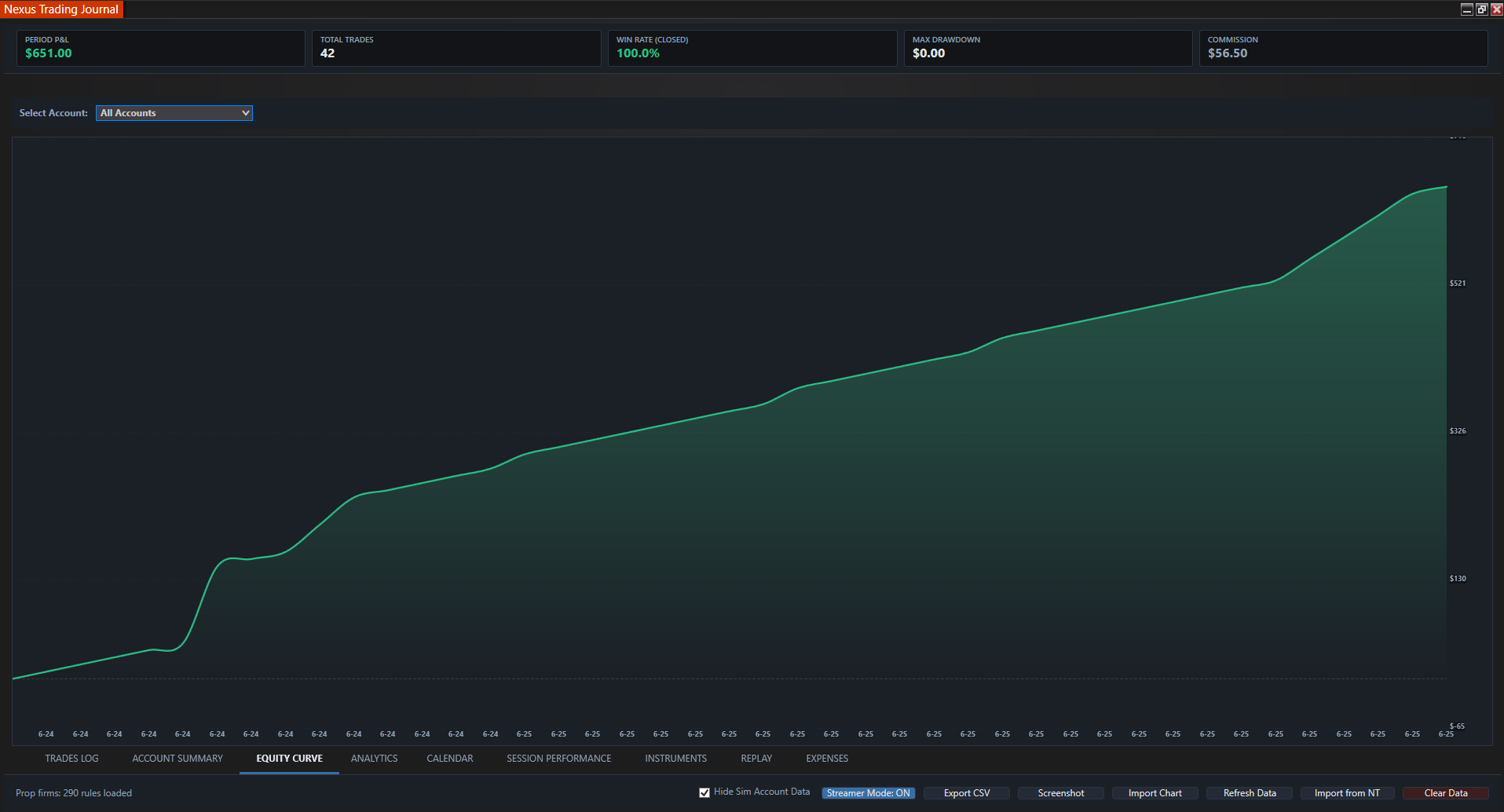
Equity Curve
Growth, peak equity, and max drawdown.
-
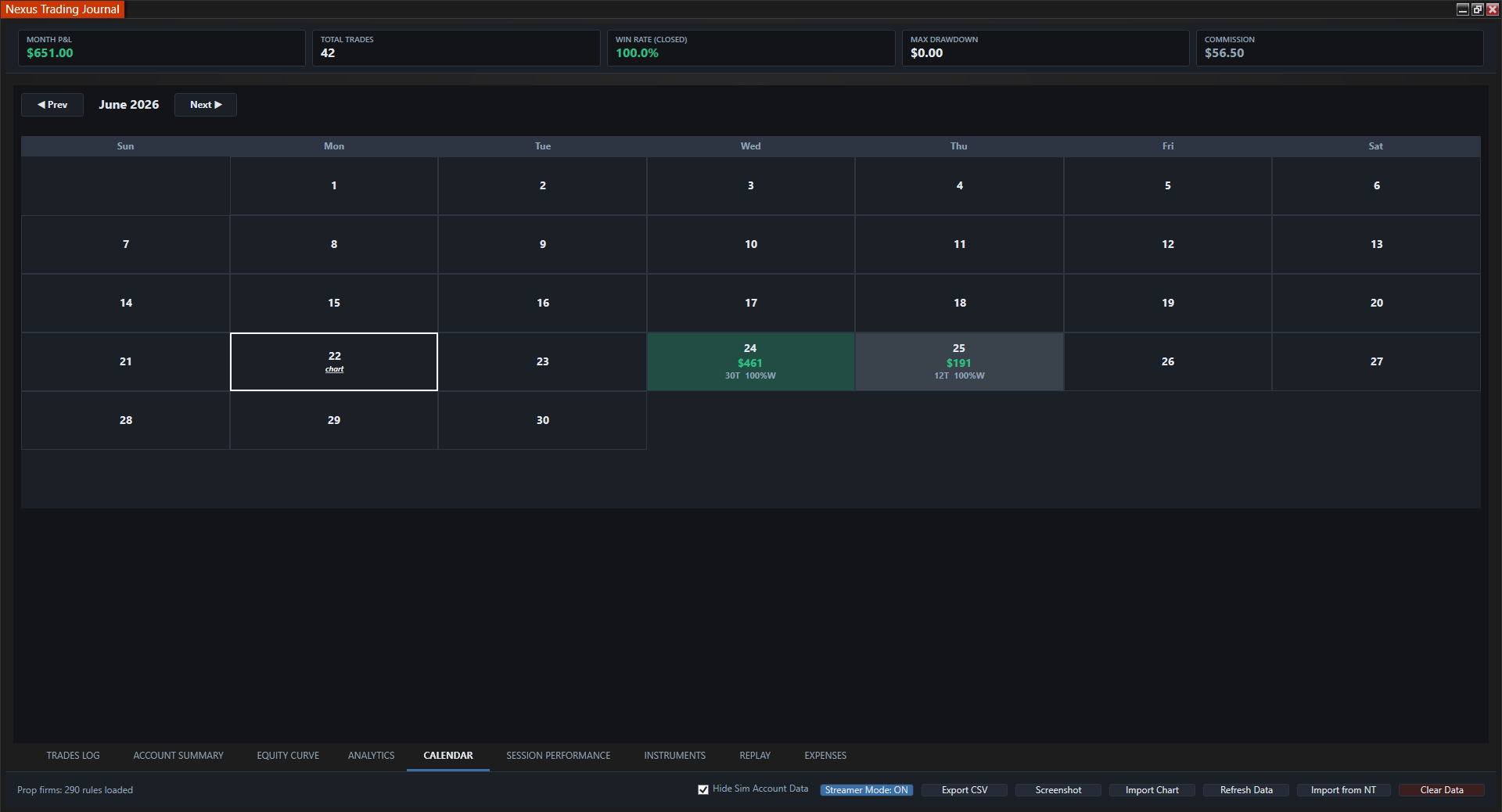
Calendar
Color-coded daily P&L heatmap.
-
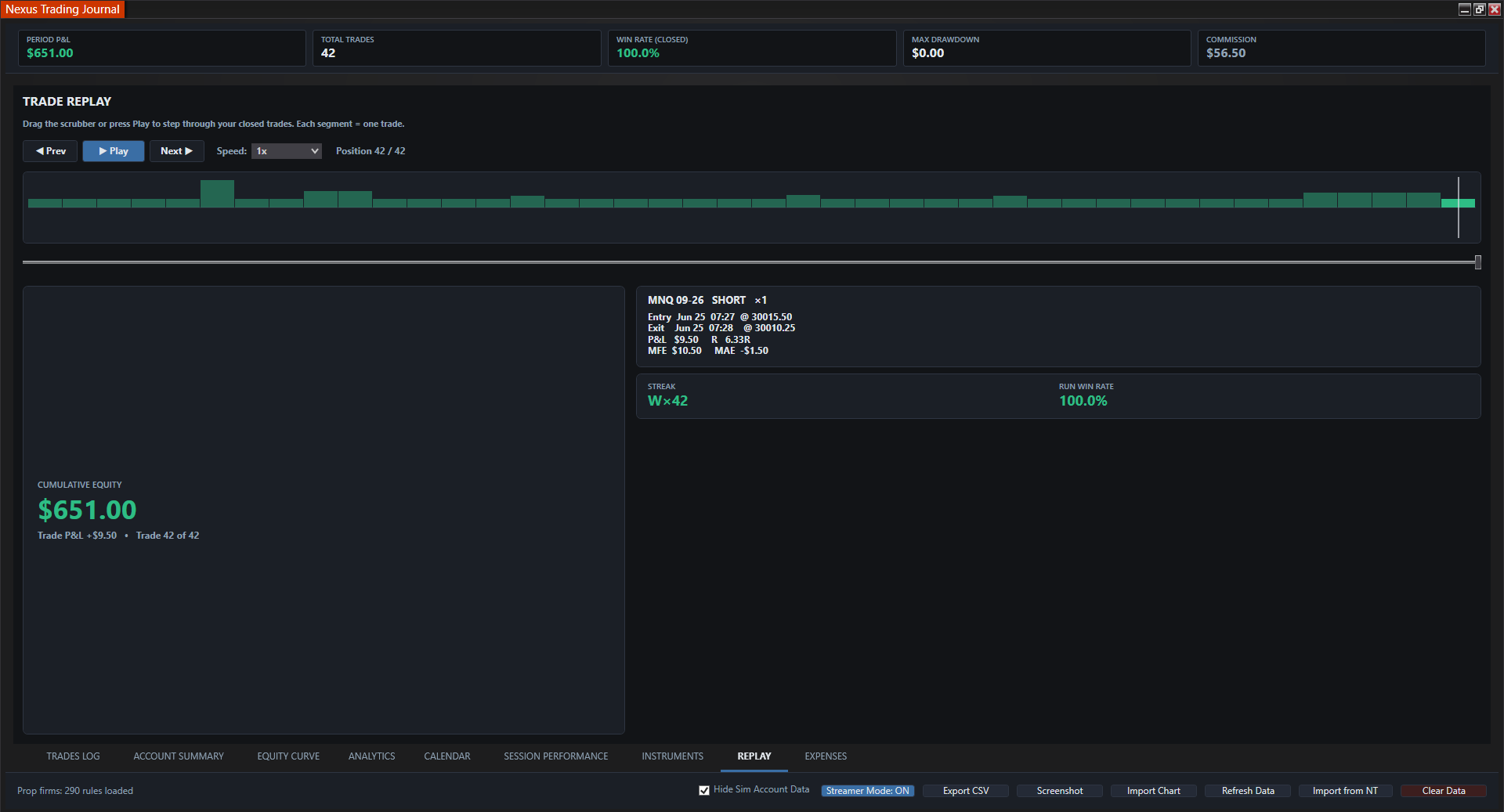
Replay
Step through past trades and execution.
-
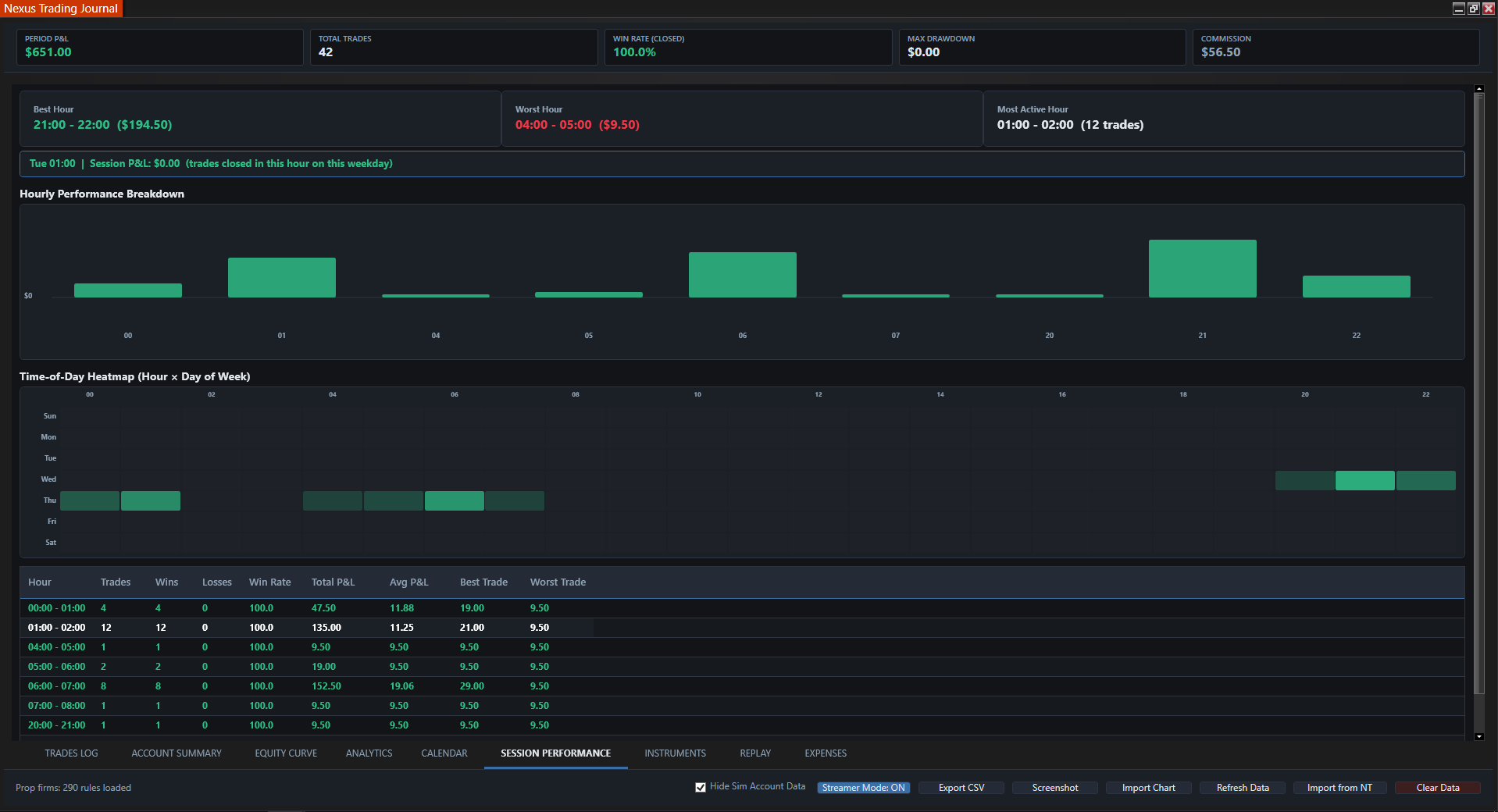
Session Performance
Results by session and time of day.
Complete Analytical Suite
Standalone NT8 add-on that auto-captures trades, tracks prop firm costs and payouts, and keeps everything in local files on your PC.
Auto Trade Logging
Tick-accurate entries and exits from NT8 with P&L, MAE/MFE, slippage, emotion tags, and CSV export.
Expense Tracking
Recognized prop accounts can pre-fill eval, reset, and activation fees. Add, edit, or delete any entry manually.
Payout Logging
Record funded payouts manually by firm and account so you know what you actually took home.
Cash Flow
Monthly bar chart of net prop firm performance, trading results minus the real cost of evals and resets.
Performance Analytics
Profit factor, expectancy, win/loss ratios, and average winner vs loser.
Equity Curve
Live performance curve with max drawdown and peak equity tracking.
Daily Calendar
Green/red heatmap with quick-view P&L and screenshot attachments per day.
Replay & Sessions
Review trades in sequence and break down results by trading session.
Local Storage
Journal records are stored in local files, and visible trade records can be exported to CSV.
Who Is the Nexus Trading Journal For?
It is built for NinjaTrader 8 users who want automatic trade records and a repeatable review workflow without maintaining a separate cloud journal.
Active NinjaTrader 8 traders
Capture executions into a trade log, then review P&L, analytics, the equity curve, sessions, and calendar results in one add-on.
Simulation and live account reviewers
Record both account types, then use the saved Hide Sim Account Data control when you want views focused on live or funded-account records.
Multi-account and prop firm traders
Compare account results, add expenses and payouts, and review how trading outcomes and business costs affect cash flow.
Traders who prefer local journal files
Keep journal records on the computer running NinjaTrader 8 and export the currently visible trades to CSV when needed.
Why traders switch
Native NT8 Journal vs. Monthly Web Journals
Most trading journals are browser apps on a monthly plan: you export or sync fills from NinjaTrader, then review analytics in a separate tab. Nexus runs inside NinjaTrader 8, captures executions as they happen, and keeps the trade log, analytics, equity curve, and P&L calendar on your machine with no recurring fee after purchase.
- No import step. Executions populate the journal automatically instead of uploading CSVs or relying on a broker sync.
- One workflow inside NT8. Review trades, charts, calendar, and analytics without leaving the platform you execute on.
- Manual context stays editable. Add notes, emotions, costs, payouts, and screenshots where human judgment is required.
- Own your data locally. Records stay on the NinjaTrader computer with CSV export, not locked behind a cloud account or subscription.
| Feature | Web journal | Nexus Journal |
|---|---|---|
| Auto-log NT8 trades | Import / sync | Native |
| Runs inside NinjaTrader 8 | Browser app | NT8 add-on |
| Prop expense and payout tracking | Varies | Built-in |
| Pricing | Monthly subscription | $349 one-time |
| Trade data storage | Provider cloud | Local files |
Web journals can be useful when you trade across multiple platforms. Nexus is built for traders who live in NinjaTrader 8 and want journaling without a second subscription.
Lock In Lifetime Access
$349 one-time. One payment, no monthly fees, all data stored locally.
Nexus Journal Add-On
Pay once · lifetime updates · no subscription · 100% local data
- Auto-logs every trade - zero manual entry
- Expense tracking for evals, resets & fees (recognized accounts + editable)
- Manual payout logging & monthly cash-flow chart
- P&L, win rate, drawdown & prop firm analytics
- Local storage - your data never leaves your PC
- Lifetime access & updates included
Enter your NinjaTrader Machine ID (Help > About) at checkout for license activation.
Pair with Chart Trader ($599 lifetime), or get both in the $849 bundle (save $99).
Have questions before you purchase? Contact us.
Complete the Feedback Loop
Pair with Nexus Chart Trader
Execute with one-click brackets and risk locks, every trade auto-logs to the journal for instant review.
Get Chart Trader for $599 LifetimeNexus Trading Journal FAQ
Automated trade logging, prop firm expense tracking, local storage, analytics, and licensing.
Is Nexus Trading Journal a standalone NinjaTrader 8 add-on?
Yes. Nexus Trading Journal runs as a standalone NinjaTrader 8 trading journal add-on. It requires no secondary platform, third-party software, or Nexus Chart Trader license to operate, though it integrates seamlessly if paired together.
How does the automated trade logger work inside NinjaTrader 8?
The automated trade logger captures every NinjaTrader 8 fill, execution, price, contract size, timestamp, commission, and realized P&L directly from your connected data feed in real time. There is no manual entry and no need to export or upload daily CSV files, though you can still add custom setup tags and emotion notes.
Where is journal data stored, and is my trading history private?
Your journal data is stored 100% locally on your PC in standard local files. Unlike cloud-based trade loggers, Nexus Trading Journal never transmits your account numbers, trade history, balances, or performance data to external servers or third parties.
How does Nexus compare to subscription web trading journals (Tradervue, TradeZella, Edgewonk)?
Most web trading journals require recurring monthly subscriptions ($30–$60+/month), manual end-of-day CSV imports, and cloud uploads. Nexus Trading Journal is a $349 one-time lifetime license with no monthly subscription, captures trades natively inside NinjaTrader 8 without export lag, and keeps all records securely on your local computer.
Can I filter simulation, market replay, and live prop firm accounts separately?
Yes. The journal features full multi-account support with a dedicated Hide Sim Account Data toggle. You can filter between live brokerages, evaluation accounts, funded prop firm accounts, and simulation/replay sessions instantly so test trades never distort your live trading analytics.
How does the Prop Firm Expense and Payout tracking work?
Nexus Trading Journal includes built-in ledgers specifically built for futures prop firm traders (Apex, Topstep, MyFundedFutures, etc.). You can log challenge fees, activation costs, and account resets, record approved payouts, and review a visual monthly Cash Flow chart comparing trading profits against prop firm expenses.
Does the journal track prop firm trailing drawdown and payout eligibility?
Yes. The Account Summary view tracks trailing drawdown buffers, peak equity levels, profit target progress, and payout threshold readiness across all connected prop firm evaluation and funded accounts.
How does the journal handle multi-contract scale-ins (DCA) and partial scale-outs?
Nexus Trading Journal automatically merges multiple fill legs in the same direction into a single position with true Volume Weighted Average Price (VWAP) entry and exit accounting. Partial scale-outs decrement position quantity cleanly without fragmenting your trade log into messy disconnected rows.
Can I attach chart screenshots, day labels, and session notes to calendar days?
Yes. The Day Journal and monthly Calendar views allow you to attach high-resolution chart screenshots, record pre-market trade plans, log psychological observations, and assign custom day badges (such as FOMC, Trend Day, or Chop) to review historical trading days in full context.
What performance analytics and metrics does the journal calculate?
The analytics dashboard calculates Win Rate, Profit Factor, Average Win / Loss, R-Multiple expectancy, Max Adverse Excursion (MAE), Max Favorable Excursion (MFE), session equity curves, drawdown curves, and detailed breakdowns segmented by instrument (ES, NQ, CL, etc.), time of day, and trade direction (Long vs. Short).
Does the journal include a Streamer / Privacy Mode for content creators?
Yes. Streamer Mode masks account numbers, private identifiers, and sensitive monetary totals across all data grids and charts with a single click, allowing funded traders and educators to share screens, review trades, and stream live safely.
Can I export my NinjaTrader trade logs to CSV for external spreadsheets?
Yes. You can export any filtered trade log, account summary, expense ledger, or payout record into standard CSV format at any time for custom Excel or Google Sheets reporting.
How do I install Nexus Trading Journal in NinjaTrader 8?
Download the add-on ZIP file from your Nexus Downloads dashboard after purchase. In NinjaTrader 8, navigate to Tools > Import > NinjaScript Add-On, select the ZIP file, and restart NinjaTrader. The journal will appear under New > Nexus Trading Journal.
Can I transfer my lifetime license if I change computers?
Yes. Each license is tied to your NinjaTrader Machine ID (Help > About). If you switch computers or upgrade your operating system, simply submit our contact form and our support team will reactivate your license on your new machine for free.