
NinjaTrader SuperTrend add-on
The Best
SuperTrend Indicator for NinjaTrader 8
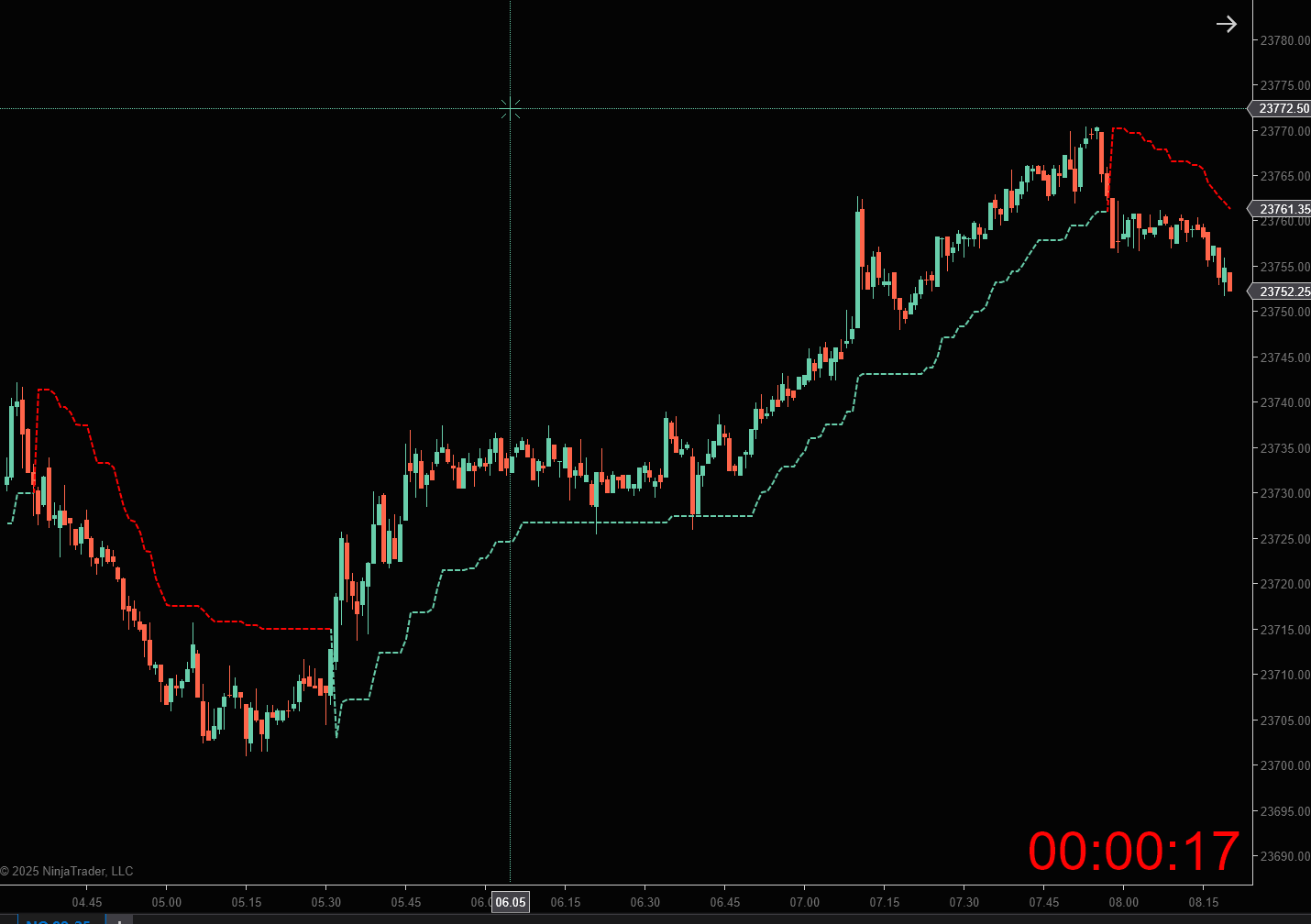
As a NinjaTrader SuperTrend add-on, Nexus SuperTrend plots an ATR-based band on your charts and color-codes the active trend direction. The ATR period and factor are configurable.
When Traders Add a SuperTrend Band to NT8 Charts
SuperTrend-style indicators are popular because they compress volatility and direction into one line traders can read quickly. On a busy futures chart, that can make it easier to see whether price is holding above a rising band or failing back under a falling one without stacking multiple overlays.
Nexus SuperTrend is built for that visual workflow inside NinjaTrader 8. You choose the ATR period and factor, apply the indicator to any supported chart, and let final-band logic decide when the active upper or lower line should update. The color change reflects the indicator’s calculated state—not a broker order or an alert from Nexus.
Many traders pair a trend band with their own entry rules: opening-range breaks, pullback limits, or manual Chart Trader clicks. Others use it as a session filter—for example, only taking long ideas while the band reads uptrend on a higher-timeframe chart. Those decisions stay yours; the product does not score setups or block trades.
Before you rely on any setting in live markets, test the same instrument, session, and timeframe in Simulation or Playback. Sideways periods can produce frequent band flips, and a tighter ATR factor will react faster than a wider one. Document what you tested so you know whether a color change fits your plan or is noise you should ignore.
- Futures day traders who want a single active band on ES, NQ, or CL intraday charts
- Swing traders comparing higher-timeframe direction before dropping to an execution chart
- Traders who already use NT8 and want a lifetime-licensed SuperTrend variant with configurable ATR inputs
- Anyone who needs a clear list of limits: no built-in alerts, no auto-orders, no performance guarantees
NinjaTrader 8 Trend Band Examples
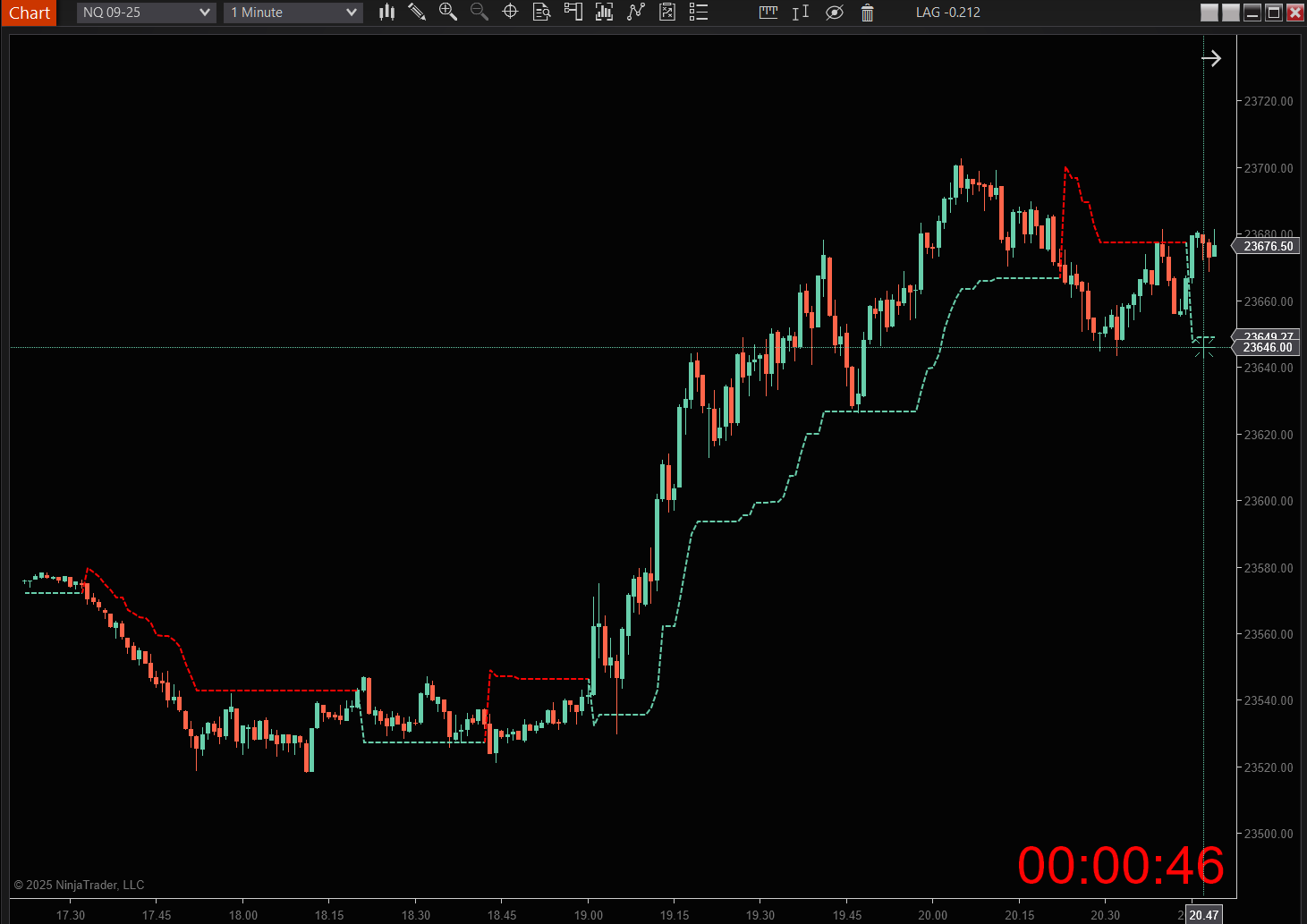
These chart examples show how the active band and color change with the calculated trend direction.
Read the Active Lower Band
During an uptrend, the indicator displays the active lower band beneath price. The band is derived from the configured ATR period and factor, then carried forward by the final-band rules until a qualifying price cross changes direction.
- Color-coded trend direction for instant clarity
- Configurable ATR period and factor
- Final-band logic controls when the active band changes
Know the Limits in Sideways Price Action
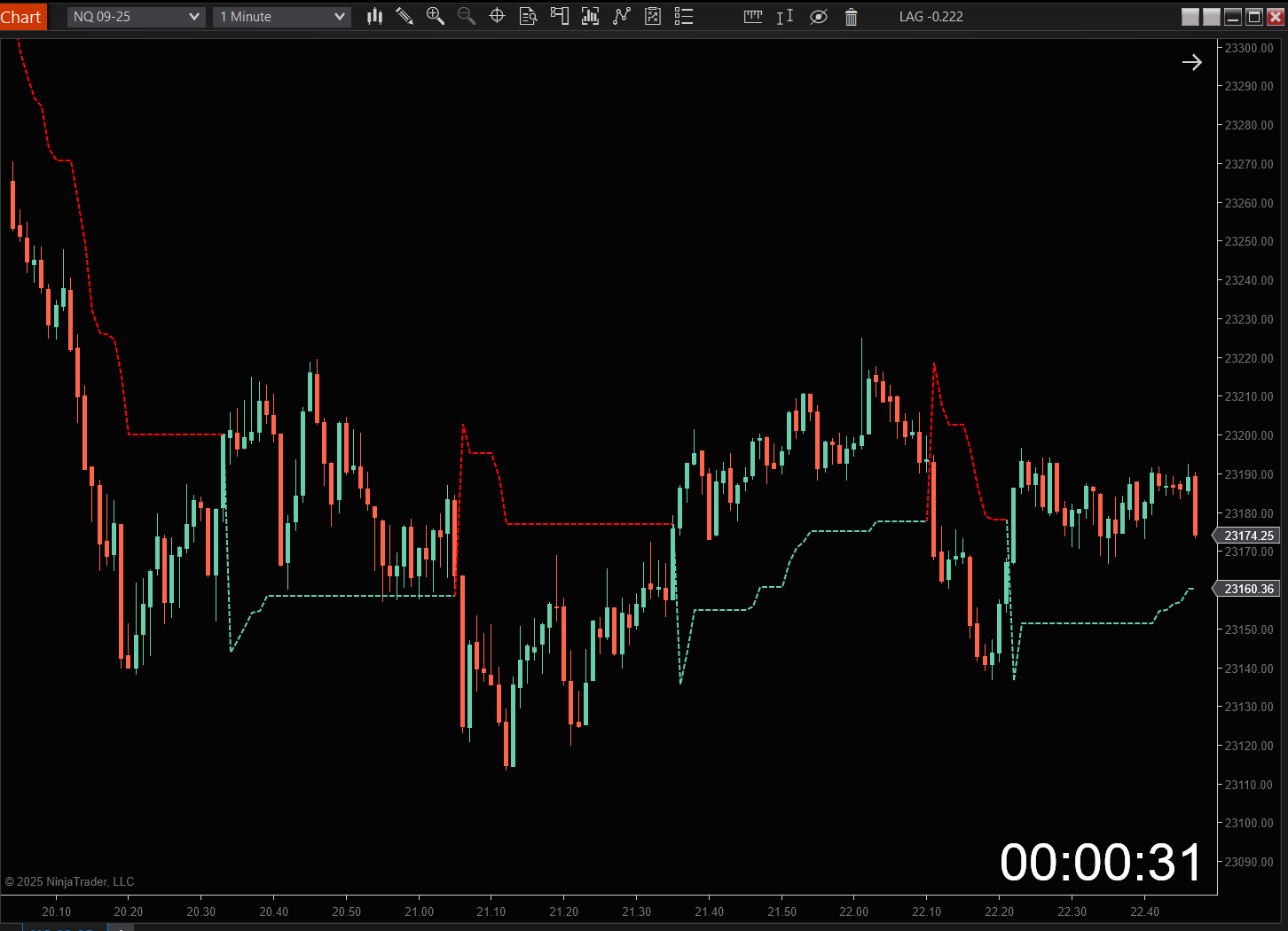
In sideways conditions, price can cross the active band repeatedly and the color can change more often. Nexus SuperTrend does not independently identify choppy markets or guarantee that a direction change will produce a profitable trade.
- The ATR factor changes the distance between price and the bands
- No setting is presented as optimal for every instrument or timeframe
- A color change is an indicator state change, not a trade recommendation
How Nexus SuperTrend Works in NinjaTrader 8
The product uses configurable ATR inputs and final-band logic to plot one active, color-coded trend band. The settings change the calculation; they do not create an automatic trading strategy.
Configurable ATR period
Controls how many bars are used to calculate average true range. The default period is 10, and the value can be changed in the indicator settings.
Configurable ATR factor
Multiplies ATR to set the initial upper and lower band distance from median price. The default factor is 3.0 and is adjustable.
Final-band logic
Carries the relevant band forward instead of replacing it with every basic-band calculation. The band changes when the price and prior-band conditions are met.
Active upper or lower band
An uptrend displays the lower band; a downtrend displays the upper band. A qualifying cross changes the direction, active band, and line color.
What the indicator does
It plots an ATR-based band, updates the active upper or lower line, and uses color to show the current calculated trend direction on a NinjaTrader 8 chart.
What the indicator does not do
It does not include alerts, submit orders, enter or exit trades, manage brackets, filter every sideways market, or guarantee signal quality or trading results.
Get the Nexus SuperTrend
One-time payment. Lifetime access and every future update included.
Nexus SuperTrend
Special discount · regular $99 · lifetime updates · no subscription
- Configurable ATR period and factor
- Final-band logic for trend-state changes
- Color-coded active upper or lower band
- Real-time NinjaTrader 8 chart updates
- No alerts or automatic trade placement
Secure checkout via PayPal · instant license activation
Have questions before you purchase? Contact us.
Frequently Asked Questions
How do the ATR period and factor settings work?
The ATR period controls how many bars are used for the volatility calculation. The ATR factor multiplies that value to set the initial upper and lower band distance from median price. Both settings are configurable.
How does final-band logic change the active line?
Final-band logic carries the relevant band forward until price crosses it. During an uptrend the active line uses the lower band; during a downtrend it uses the upper band. A qualifying cross changes the direction and the active band.
Does Nexus SuperTrend include alerts?
No. Nexus SuperTrend does not include sound, pop-up, email, or other alert notifications.
Does Nexus SuperTrend place trades automatically?
No. It is a visual NinjaTrader 8 indicator. It does not submit orders, enter trades, exit positions, or manage brackets.
Is Nexus SuperTrend a one-time purchase?
Yes. Nexus SuperTrend is a $79 one-time license with no monthly subscription.
Enhance Your Trading with Nexus Tools
Combine Nexus SuperTrend with other indicators for a complete trading system.
Nexus Chart Trader
One-click entries built around your SuperTrend signals — dollar-risk sizing, auto-breakeven, and full bracket control. Chart Trader plans start at $599.
Nexus Levels
Automatically identify key supply and demand zones based on real market structure.
Trading Journal
Automate trade logging and get detailed performance analytics.