
Best Trading Journal
for NinjaTrader 8.
Auto-logs every NT8 execution and tracks your true prop firm profitability: trading P&L, eval expenses, resets, and payouts, so you stop blowing accounts without knowing what the business actually costs.
Zero manual entry
Deep analytics
Prop firm rules
Local file storage
Review the storage model before choosing
Local and Third-Party
Journal Storage
Storage, access, subscription, export, and privacy terms vary by provider.
Third-party storage
Cloud journals store imported or synchronized records on provider-managed infrastructure. Review the provider's security and privacy terms before uploading account data or strategy notes.
Subscription terms
Some journal services use recurring plans. Check which features, storage limits, and account-access terms apply during the subscription and after cancellation.
Export options
Before committing to a service, confirm which trade records, notes, and images can be exported, the available file formats, and whether exports require an active plan.
Privacy terms vary
Collection, processing, retention, and sharing policies differ between providers. Read the applicable privacy terms instead of assuming every service handles trading data the same way.
Nexus Trading Journal stores journal data in local files on your PC.
The $499 one-time purchase does not require a cloud journal account. Use the built-in CSV export when you want a portable copy of the visible trade records.
See the Journal in Action
Trade logs, expenses, payouts, cash flow, and full analytics.
-
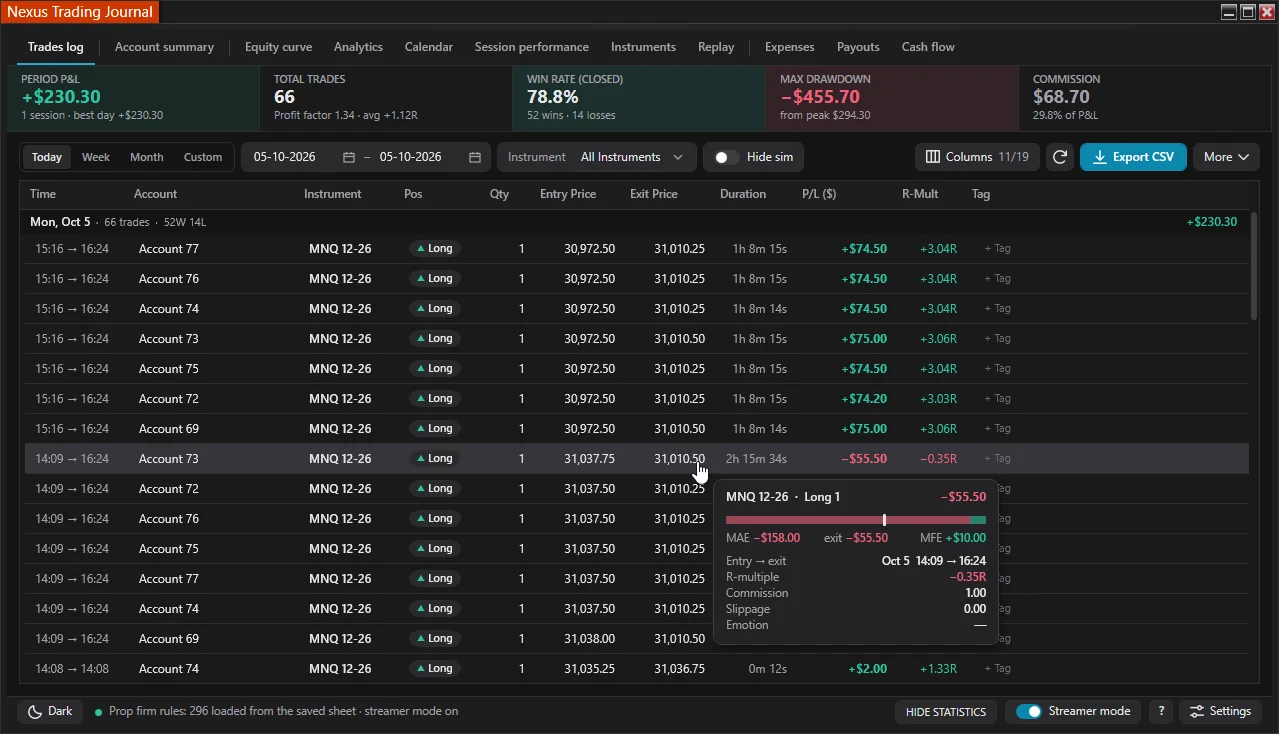
Trade Logs
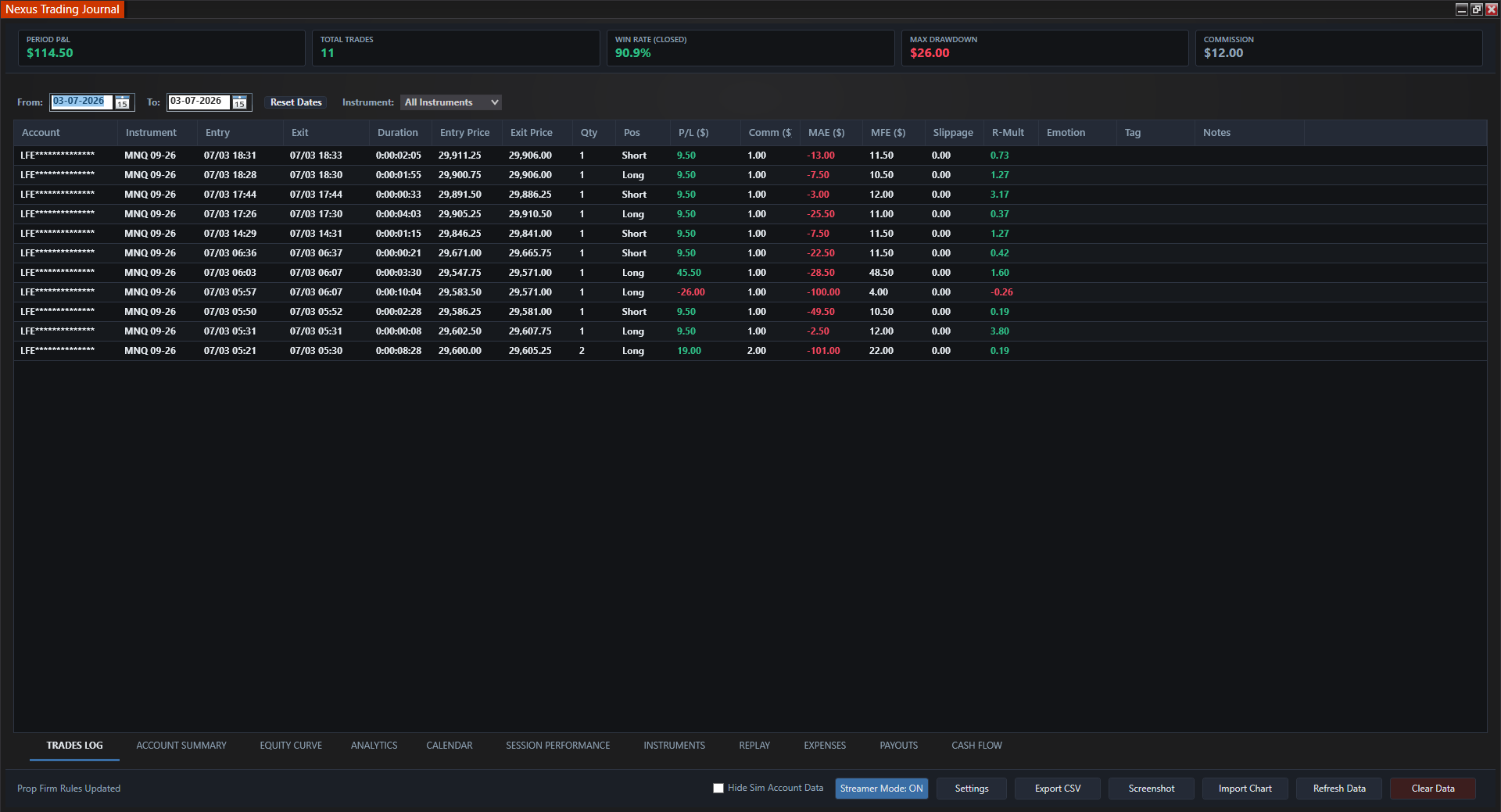
Auto-captured P&L, MAE/MFE, slippage, tags.
-
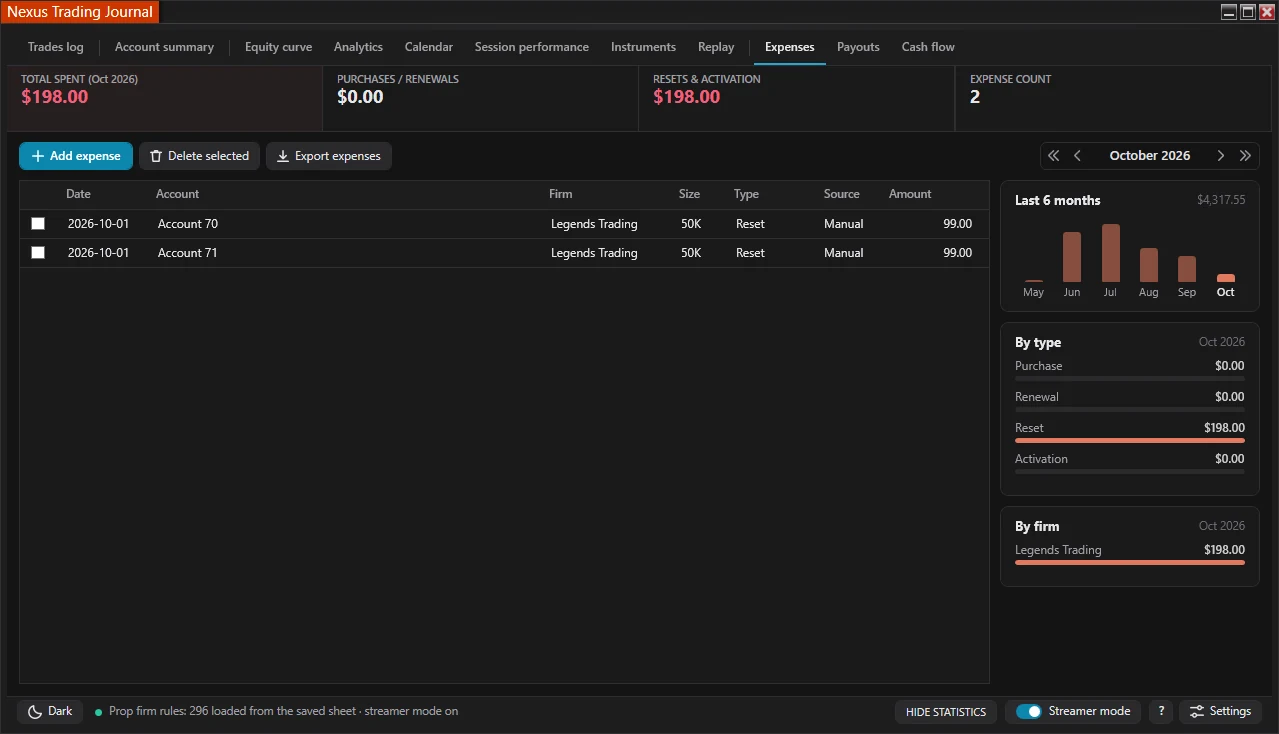
Expenses
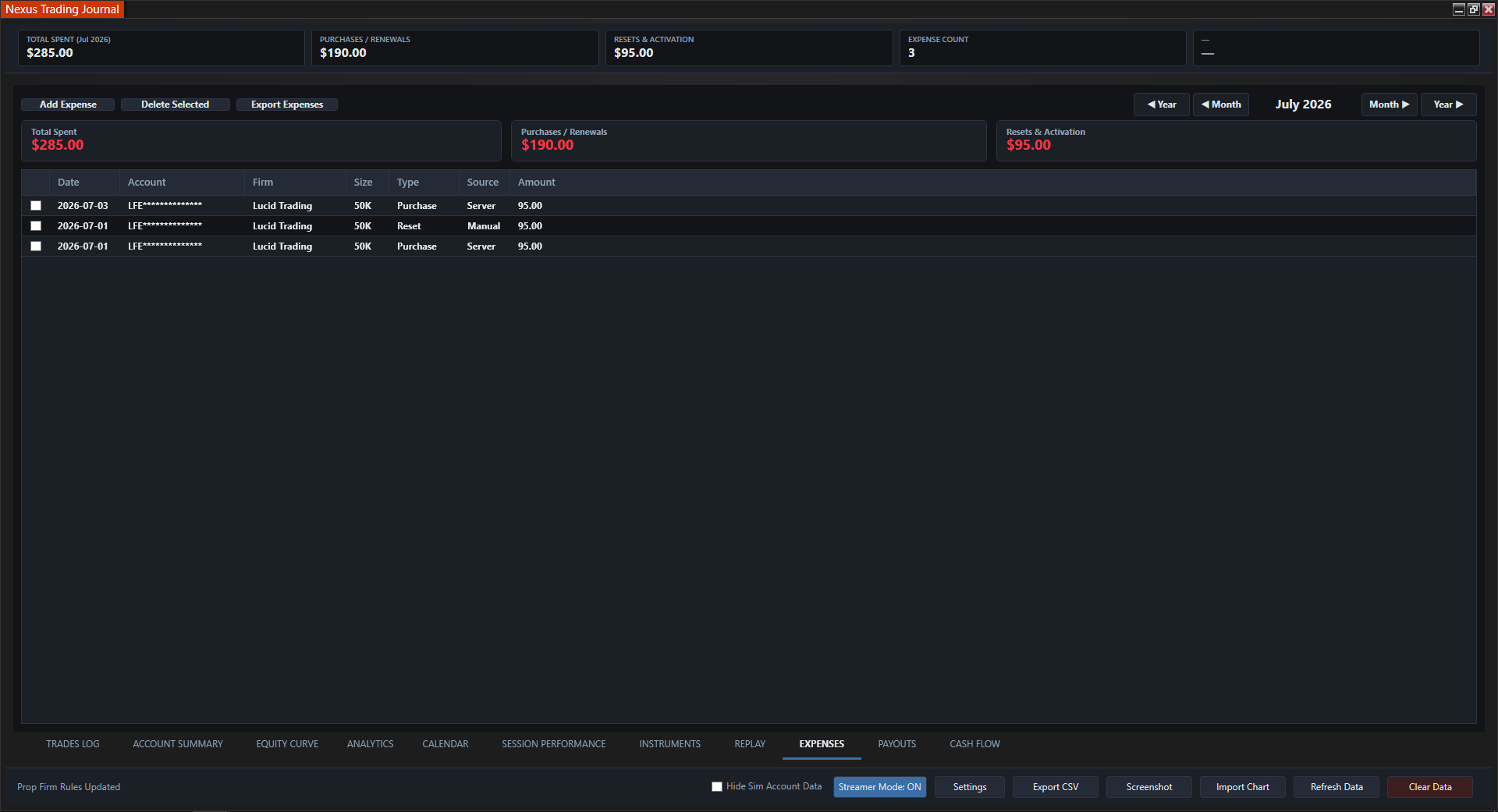
Evals, resets, and activation fees, auto-tracked and editable.
-
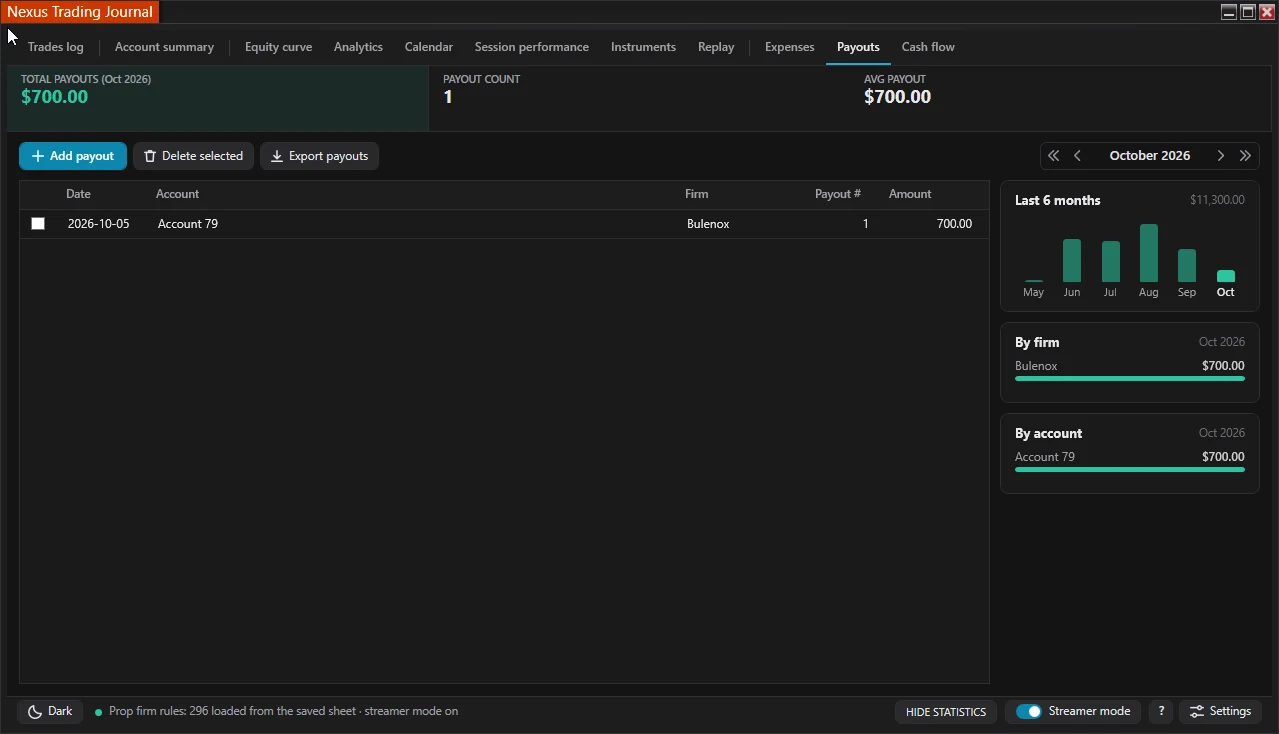
Payouts
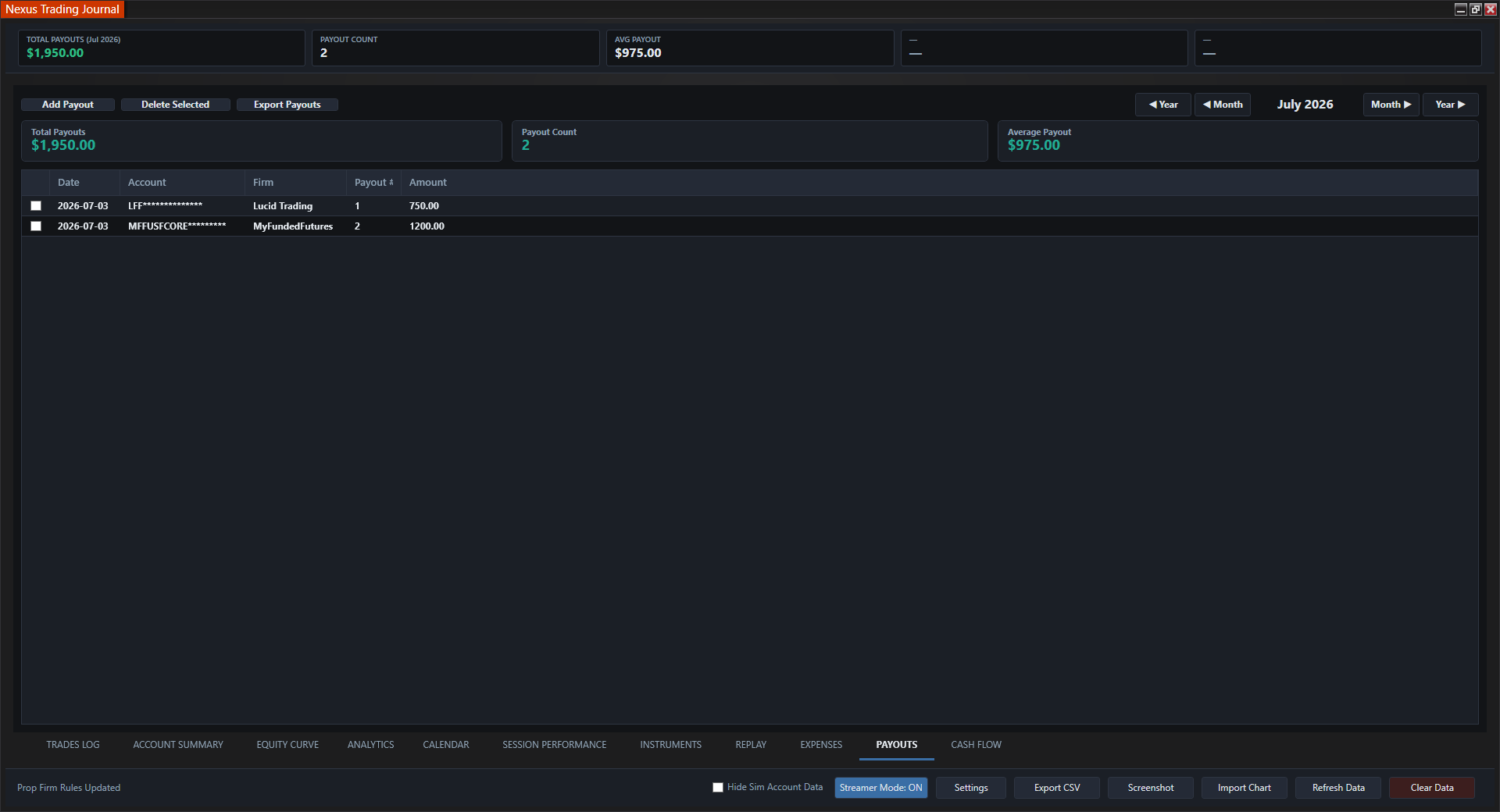
Manual payout entries by firm and account.
-
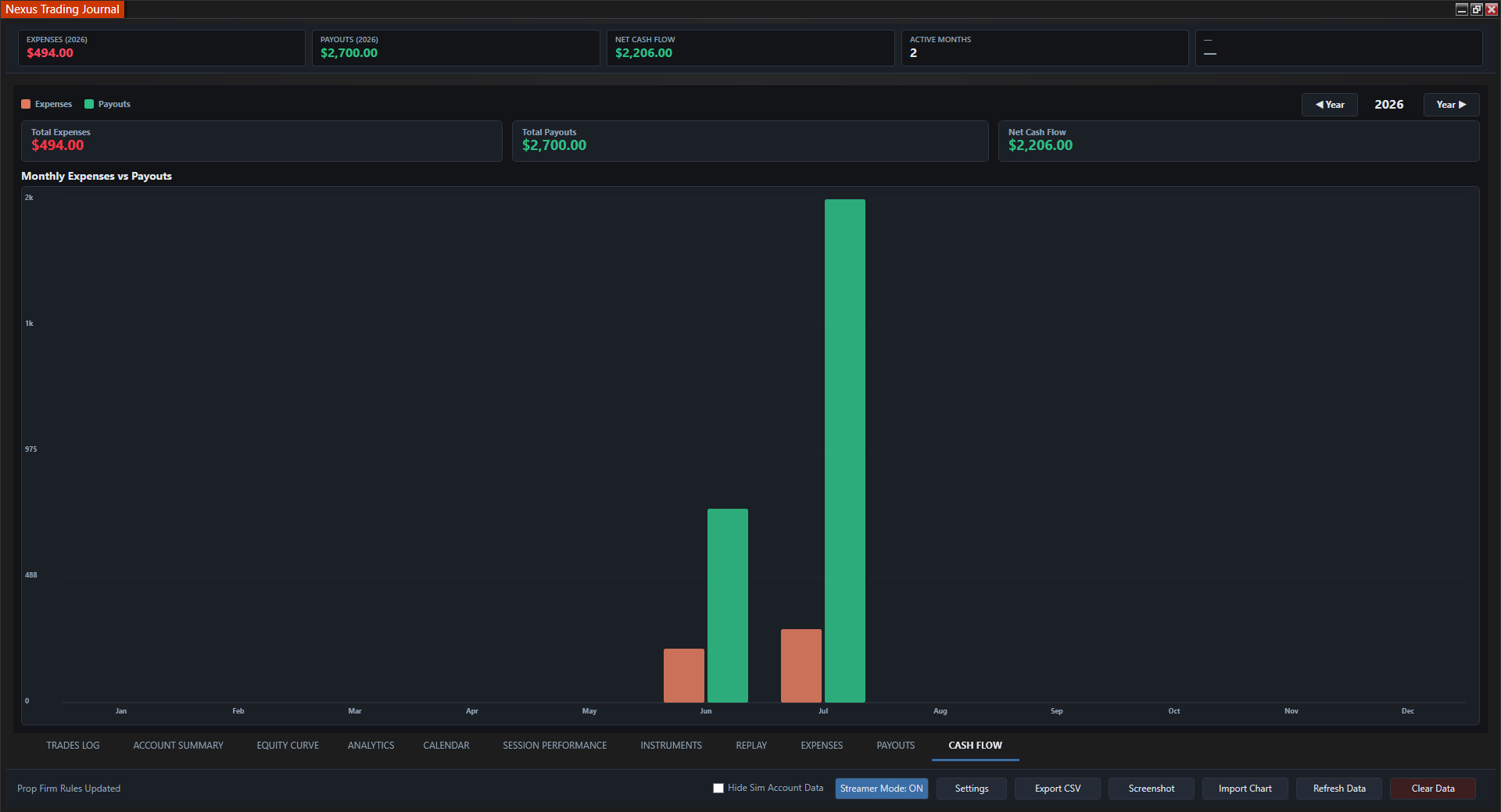
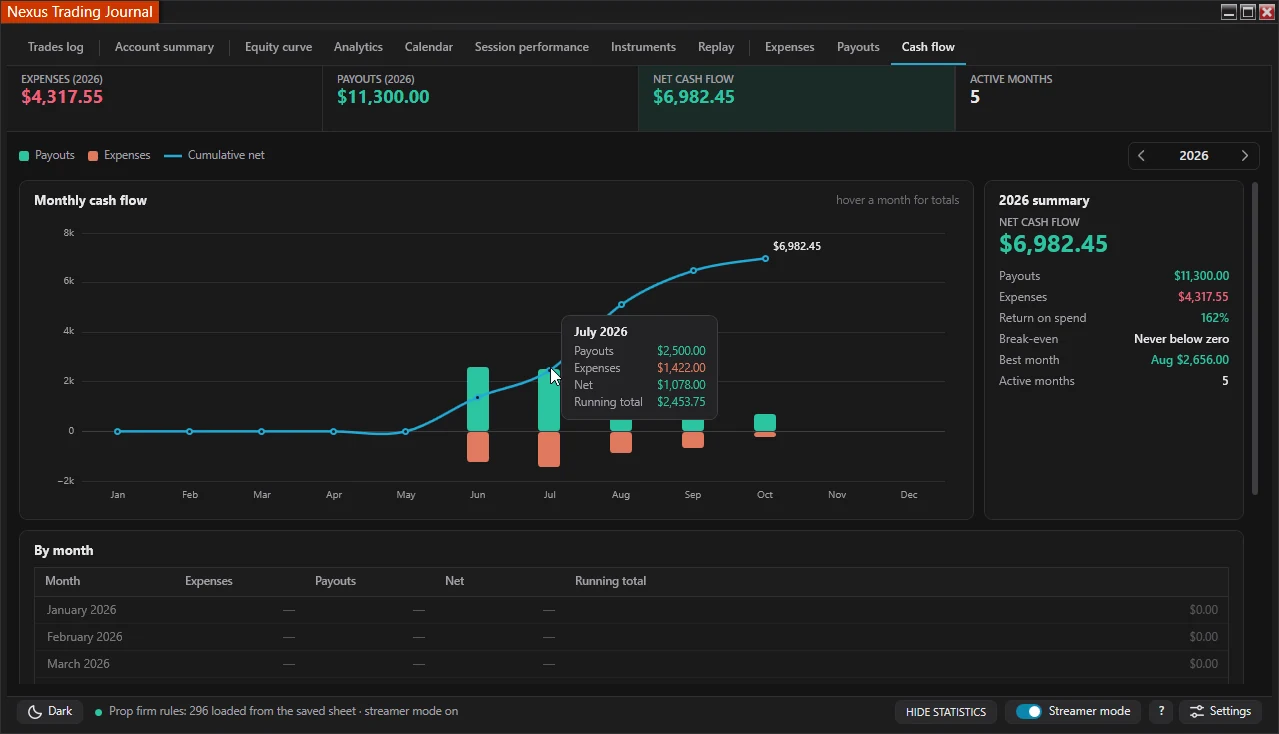
Cash Flow
Monthly bar chart of net prop firm results.
-
Analytics
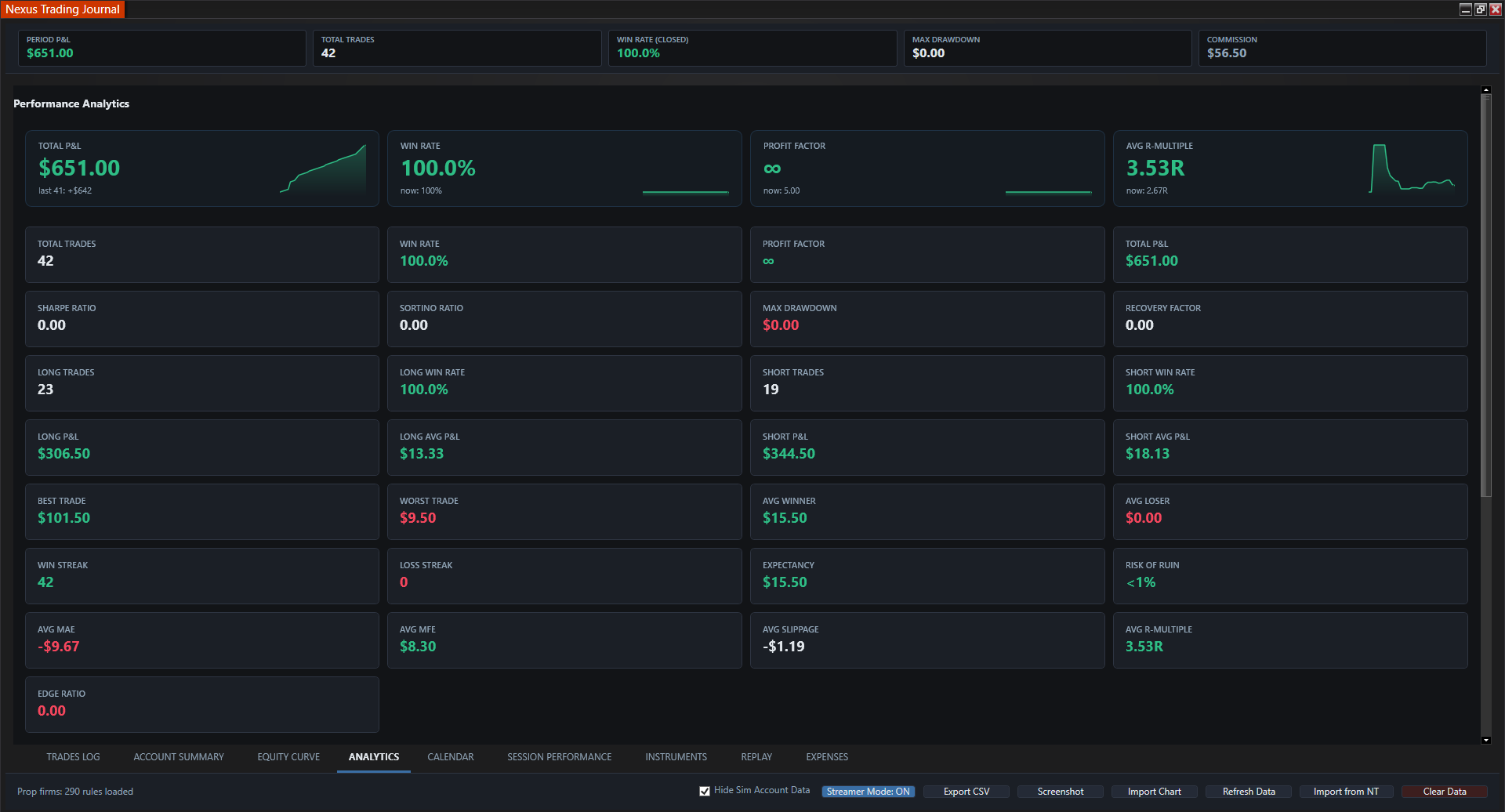
Profit factor, win rate, expectancy, drawdown.
-
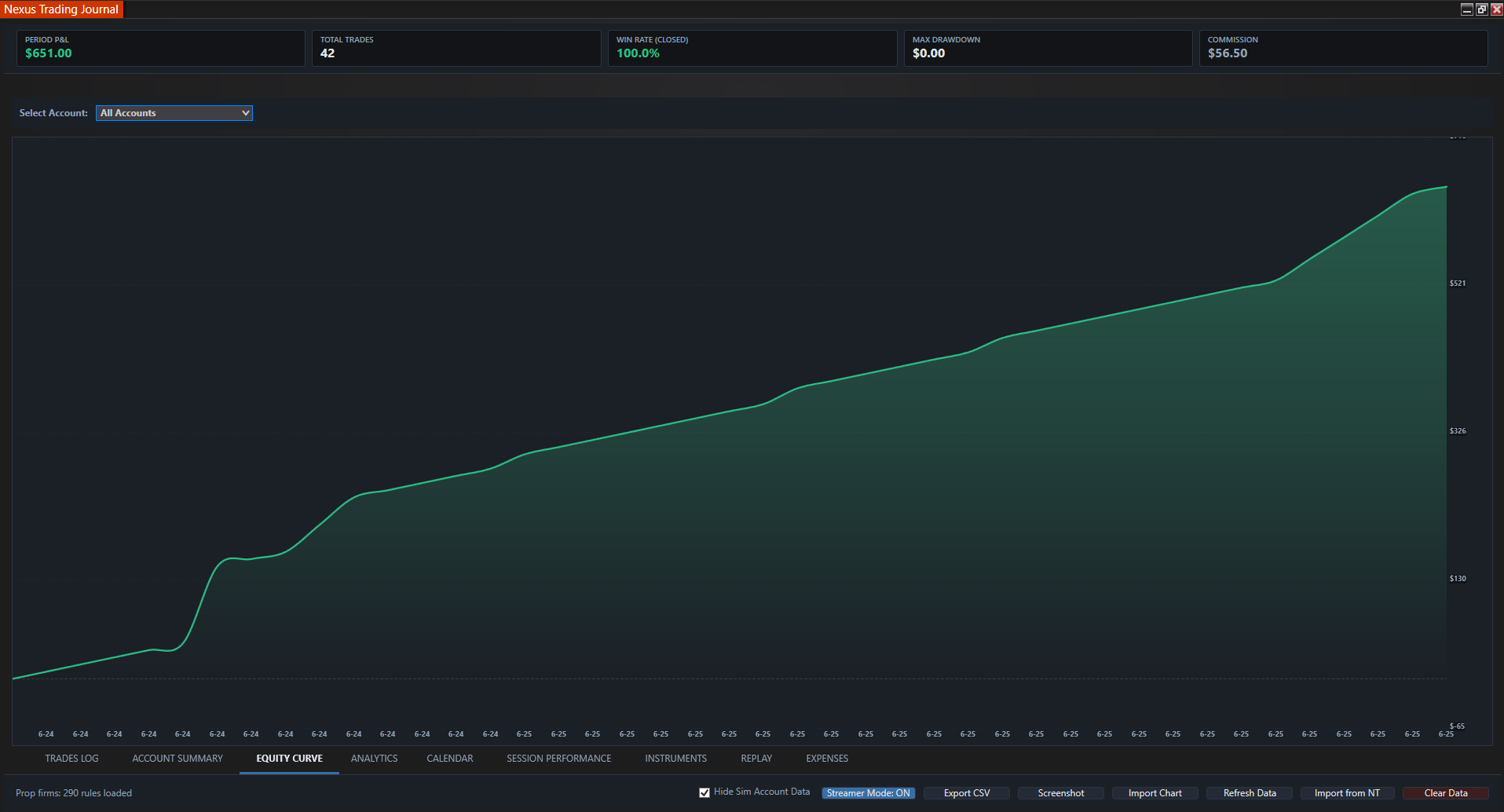
Equity Curve
Growth, peak equity, and max drawdown.
-
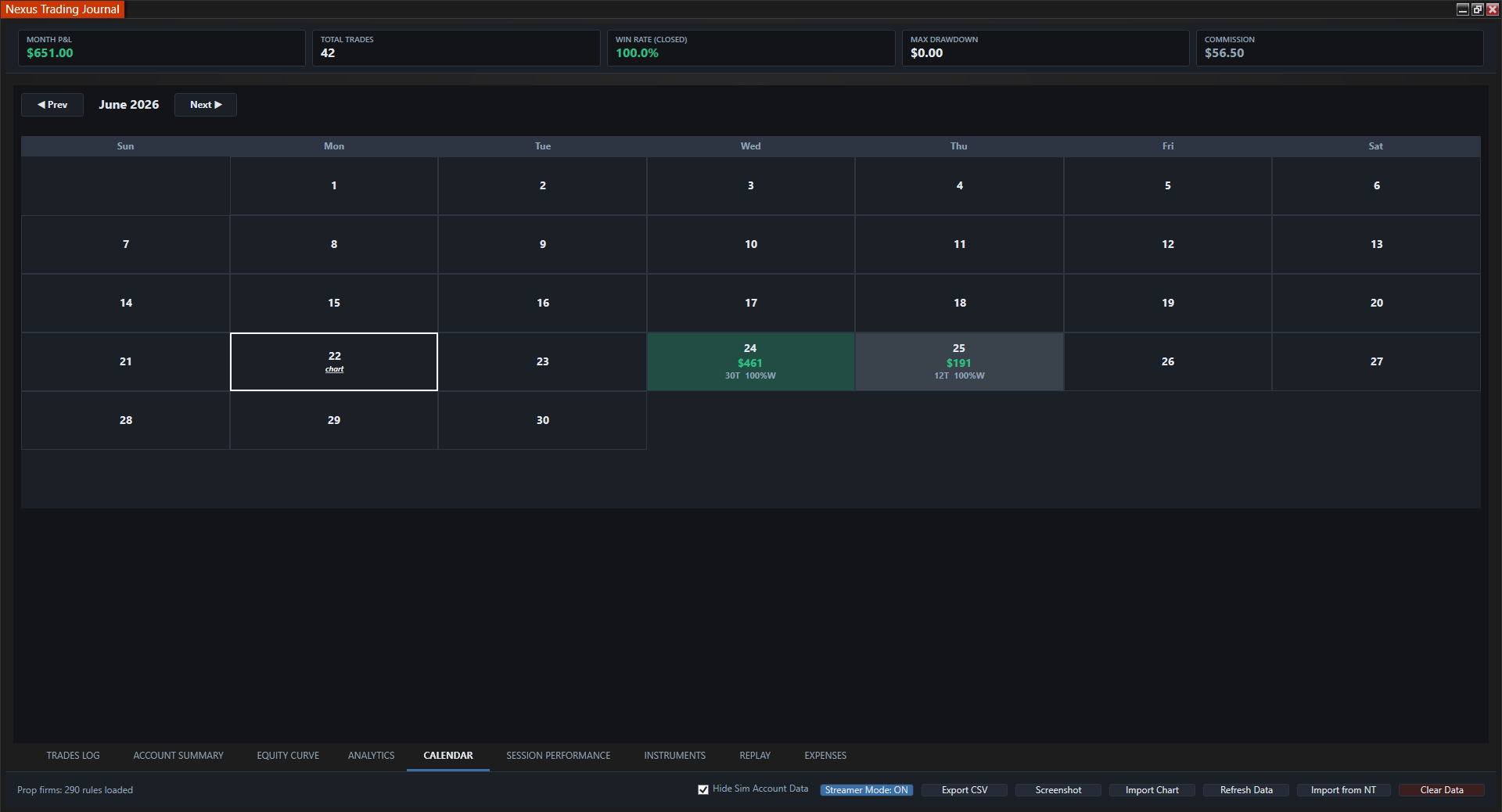
Calendar
Color-coded daily P&L heatmap.
-
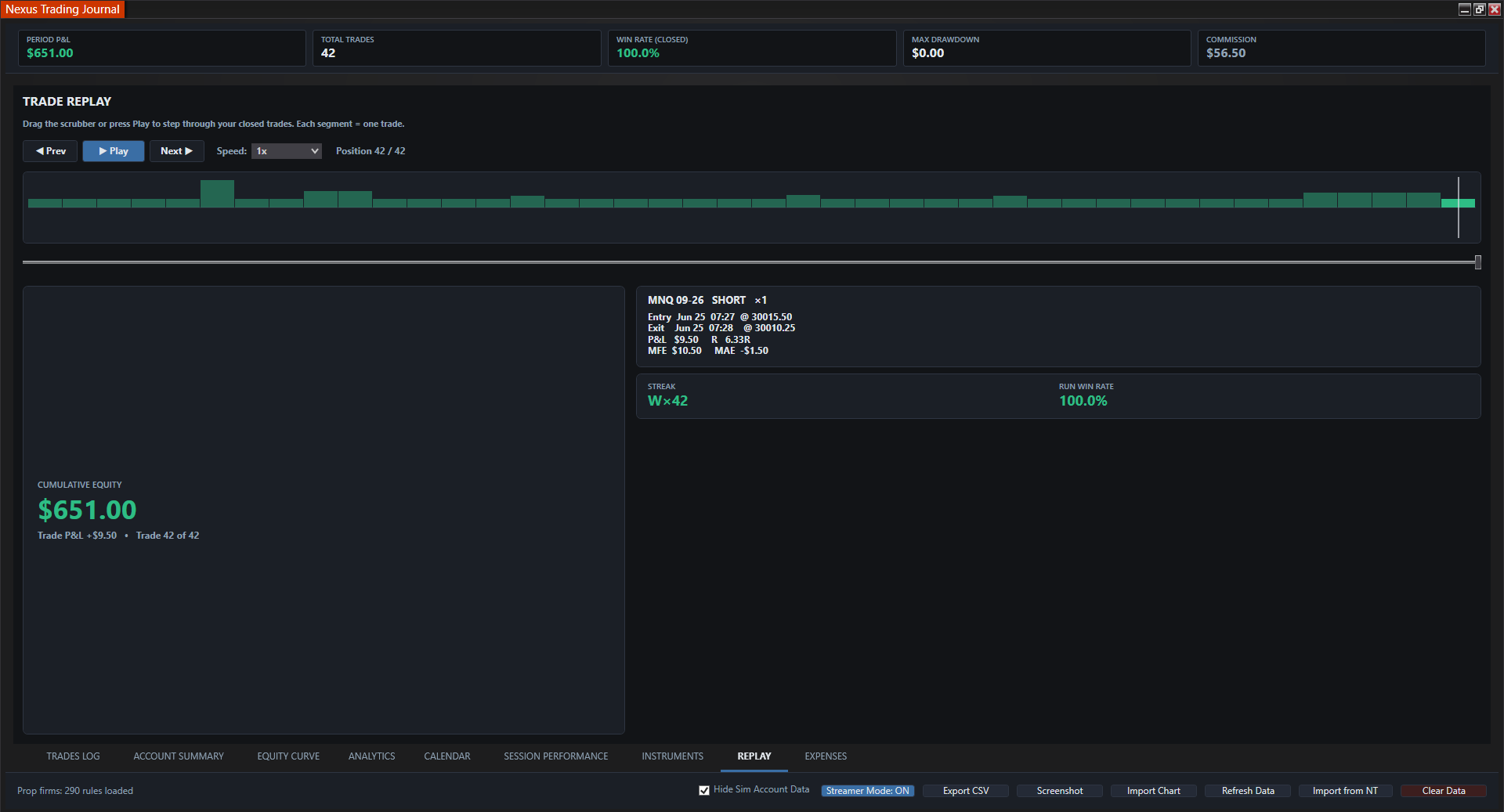
Replay
Step through past trades and execution.
-
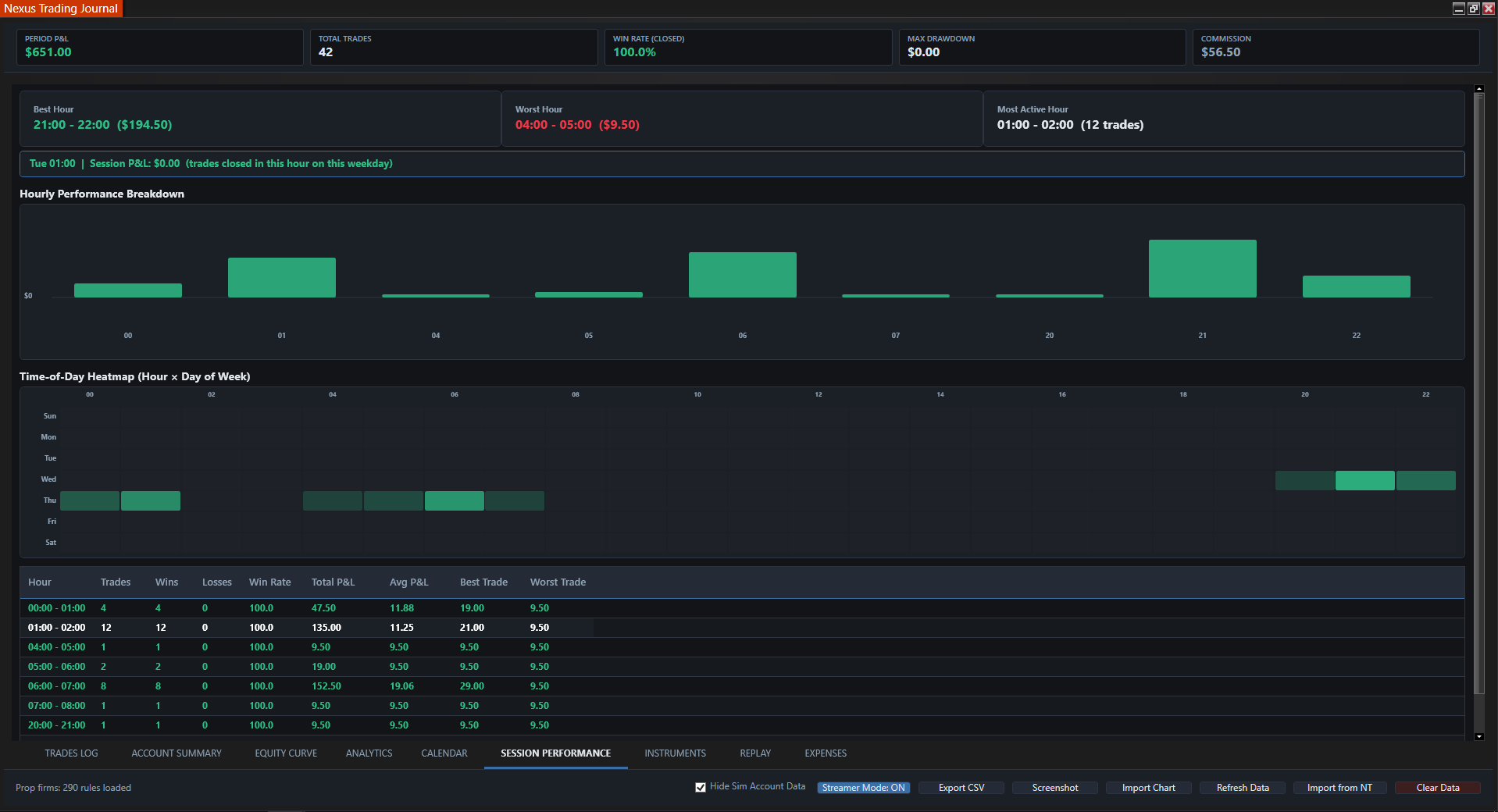
Session Performance
Results by session and time of day.
Complete Analytical Suite
Standalone NT8 add-on that auto-captures trades, tracks prop firm rules, and stores everything locally in CSV.
Auto Trade Logging
Tick-accurate entries and exits from NT8 with P&L, MAE/MFE, slippage, emotion tags, and CSV export.
Expense Tracking
Eval purchases, resets, and activation fees logged automatically. Add, edit, or delete any entry manually.
Payout Logging
Record funded payouts manually by firm and account so you know what you actually took home.
Cash Flow
Monthly bar chart of net prop firm performance, trading results minus the real cost of evals and resets.
Performance Analytics
Profit factor, expectancy, win/loss ratios, and average winner vs loser.
Equity Curve
Live performance curve with max drawdown and peak equity tracking.
Daily Calendar
Green/red heatmap with quick-view P&L and screenshot attachments per day.
Replay & Sessions
Review trades in sequence and break down results by trading session.
Local Storage
Journal records are stored in local files, and visible trade records can be exported to CSV.
Who Is the Nexus Trading Journal For?
It is built for NinjaTrader 8 users who want automatic trade records and a repeatable review workflow without maintaining a separate cloud journal.
Active NinjaTrader 8 traders
Capture executions into a trade log, then review P&L, analytics, the equity curve, sessions, and calendar results in one add-on.
Simulation and live account reviewers
Record both account types, then use the saved Hide Sim Account Data control when you want views focused on live or funded-account records.
Multi-account and prop firm traders
Compare account results, add expenses and payouts, and review how trading outcomes and business costs affect cash flow.
Traders who prefer local journal files
Keep journal records on the computer running NinjaTrader 8 and export the currently visible trades to CSV when needed.
Review workflow
Automatic NinjaTrader Journal vs. Manual Journaling
A spreadsheet depends on you entering fills, maintaining formulas, and organizing chart images after each session. Nexus captures NinjaTrader 8 executions automatically and uses them to build the trade log, analytics, equity curve, and P&L calendar. Manual input remains available for the context software cannot know, including notes, emotion tags, expenses, payouts, and chart screenshots.
- Automatic capture. Execution records populate the journal without retyping each fill into a spreadsheet.
- Consistent views. The same records feed the trade log, account views, analytics, equity curve, calendar, and session review.
- Manual context stays editable. Add notes, emotions, costs, payouts, and screenshots where human judgment is required.
- Local files and CSV export. Records stay on the NinjaTrader computer, with CSV export for the visible trade set.
Workflow comparison
Manual spreadsheet journal
Type each fill, maintain formulas and filters, and organize notes and chart files yourself.
Nexus Trading Journal
Capture executions automatically, filter simulation records, and review the same local dataset across trade-log, chart, calendar, and analytics views.
Automatic capture reduces re-entry work; it does not replace the trader's responsibility to add context and review records for accuracy.
Lock In Lifetime Access
$499 one-time. One payment, no monthly fees, all data stored locally.
Nexus Journal Add-On
Pay once · lifetime updates · no subscription · 100% local data
- Auto-logs every trade - zero manual entry
- Expense tracking for evals, resets & fees (auto + editable)
- Manual payout logging & monthly cash-flow chart
- P&L, win rate, drawdown & prop firm analytics
- Local storage - your data never leaves your PC
- Lifetime access & updates included
Enter your NinjaTrader Machine ID (Help > About) at checkout for license activation.
Pair with Chart Trader — or get both in the $999 bundle (save $199).
Have questions before you purchase? Contact us.
Complete the Feedback Loop
Pair with Nexus Chart Trader
Execute with one-click brackets and risk locks, every trade auto-logs to the journal for instant review.
Get Chart Trader for $699 LifetimeFrequently Asked Questions
Is the Nexus Trading Journal a standalone NinjaTrader 8 add-on?
Yes. It runs as a standalone NinjaTrader 8 add-on and does not require Nexus Chart Trader or another Nexus product.
Can I review simulation and live account trades separately?
Yes. The journal records NinjaTrader 8 simulation and live account executions. The Hide Sim Account Data control removes simulation and playback records from the journal views, and the preference is saved between sessions.
Can I attach chart screenshots to the journal?
Yes. You can attach chart screenshots to calendar days so the images stay with the daily P&L review.
Does the journal capture executions automatically?
Yes. The journal captures NinjaTrader 8 executions automatically and uses them to build the trade log and analytics. You can still add notes and emotion tags manually.
Where is the journal data stored?
Journal data is stored in local files on the computer running NinjaTrader 8. The journal does not require a cloud account, and you can export the currently visible trades to CSV.
Is there a monthly fee?
No. The Nexus Trading Journal is a $499 one-time purchase with no monthly subscription.
Does the journal track prop firm expenses and payouts?
Yes. Expenses can be added or edited, payouts are entered manually, and the Cash Flow view combines those records with trading results.
How does local storage compare with a cloud journal?
Nexus keeps its journal data in local files on your computer and uses a one-time purchase model. Third-party journals may use provider-managed storage, subscriptions, and different export or privacy terms, so review each provider's policies before choosing.