Risk
ATR in Ticks: The Smarter Way to Size Positions for NinjaTrader 8 Prop Firm Trading

From an Official NinjaTrader® Ecosystem Vendor. Nexus Indicator builds professional NinjaScript add-ons for NinjaTrader 8, including the Nexus Tick ATR indicator referenced throughout this guide.
"The traders who blow funded accounts aren't always gambling, they're sizing correctly for yesterday's volatility while trading in today's. Tick ATR closes that gap."
Most NinjaTrader 8 traders who struggle with prop firm daily loss limits have one thing in common: they use static position sizes. They decide on two contracts during a quiet afternoon session and then fire the same two contracts into a news-driven morning spike where the real volatility is triple what their stop expects. By the time they realize the market has moved 90 ticks in 40 seconds, they've breached their limit for the day with a single trade.
ATR-based position sizing solves this. But the standard ATR indicator, which returns values in price units, creates an extra mental translation step that almost no one actually does in real time. You see "ATR: 3.75 points on the ES" and then have to mentally multiply by 4 ticks per point, multiply again by the tick value, divide by your risk dollar amount, and arrive at a contract count, all while the market is moving.
The cleaner approach is to measure ATR directly in ticks. When your chart tells you the current ATR is 48 ticks, you can immediately apply it to position sizing, stop placement, and target calculation without any unit conversion. This post covers the complete framework: what tick ATR is, why it matters specifically for prop firm traders, and how to build a volatility-driven sizing system inside NinjaTrader 8 that keeps you within your daily limits regardless of market conditions.
What Is ATR, and What Does "In Ticks" Actually Mean?
The Average True Range (ATR) was developed by J. Welles Wilder and published in his 1978 book New Concepts in Technical Trading Systems. The formula captures the average range a market moves over a configurable lookback period, incorporating gaps with the True Range calculation: the maximum of (current high − current low), (|current high − previous close|), and (|current low − previous close|).
The result is a volatility measurement, not a direction indicator, not a signal generator. ATR tells you how much a market is moving. Nothing more. Its power comes from what you do with that information.
In most charting platforms, ATR is displayed in the same unit as the instrument's price. On the ES (E-Mini S&P 500), an ATR of 10 means the market is averaging a 10-point range. On the NQ (E-Mini Nasdaq 100), an ATR of 80 means an 80-point average range. On Crude Oil (CL), an ATR of 0.85 means $0.85 per barrel.
The issue is that futures traders don't think in price points. They think in ticks. A tick is the minimum price increment for a futures contract, the actual smallest unit of movement that appears on your DOM (depth of market) and your P&L. On the ES, one tick is 0.25 points, worth $12.50. On the NQ, one tick is 0.25 points, worth $5. On the CL, one tick is $0.01 per barrel, worth $10.
ATR in ticks converts the point-based ATR into the unit futures traders actually use. An ES ATR of 10 points becomes 40 ticks. An NQ ATR of 80 points becomes 320 ticks. An CL ATR of 0.85 becomes 85 ticks. Your stop placement, target distance, and position size calculation all become cleaner because you're working in a single consistent unit.
Why Tick ATR Matters for Multi-Instrument Traders
If you trade multiple futures instruments across different accounts, for example, ES on one account and NQ on another, tick ATR lets you compare volatility directly. "The ES is running at 44 ticks of ATR and the NQ is running at 180 ticks" gives you immediately comparable volatility readings. Price-based ATR across instruments (10 points vs 80 points) requires you to know the tick sizes and values of each contract before you can compare. Tick ATR removes that overhead.
Why Price-Based ATR Fails Prop Firm Traders Under Pressure
Prop firm trading creates a specific set of constraints that make accurate, real-time position sizing more important than in any other trading context. You have a daily loss limit, typically $1,000 to $3,000 depending on the account size and firm. Breaching it resets your account or costs you the funded phase. You often also have a trailing drawdown, meaning a single bad session can permanently impair your account's headroom.
In this environment, position sizing is not a preference, it's a survival requirement. And yet most traders approach it with static numbers ("I trade 2 contracts on ES") rather than dynamic volatility-adjusted numbers based on the current market environment.
Here's what happens when you use static sizing in a dynamic volatility environment:
- You set a 20-tick stop because it's your "standard stop" on ES.
- In a low-volatility overnight session, a 20-tick stop is roughly 0.6× ATR, reasonable, appropriate, gives the trade room to breathe.
- At 9:35 AM EST on a high-impact news day, a 20-tick stop is roughly 0.25× ATR, immediately stopped out by market noise before your thesis can play out.
- So you widen the stop to 40 ticks. But now you're risking $500 per contract instead of $250, and you haven't adjusted your contract count down to compensate.
- Two stopped-out trades later, you've spent $1,000, a full day's loss limit, on positions that had correct directional thesis but incorrect sizing protocol.
The fix is not to use a fixed stop. The fix is to use an ATR-proportional stop that automatically reflects the current volatility environment, and then back into your contract count from your maximum dollar risk. To do that efficiently, you need ATR expressed in the same unit as your stop, ticks.
See also our guide on how daily risk limits work and how to build session controls around them, which covers the rule enforcement side of this problem.
The Tick ATR Position Sizing Formula
Once you have ATR expressed in ticks, the position sizing calculation becomes entirely mechanical. Here is the complete framework:
Step 1: Determine Your ATR Stop Distance
Your stop should be placed at a distance proportional to the current ATR. Common multiples used by professional futures traders are:
- 0.75× ATR ticks, aggressive, suitable for tight order flow setups where you expect immediate follow-through
- 1.0× ATR ticks, standard, gives the trade room to absorb one normal swing before hitting your stop
- 1.5× ATR ticks, conservative, appropriate for longer-timeframe trades or high-volatility market opens
- 2.0× ATR ticks, swing, used for multi-hour or multi-day setups where noise is expected
If the ES has a 14-period ATR of 48 ticks and you use a 1.0× multiplier, your stop is 48 ticks. If you use 1.5×, your stop is 72 ticks. The ATR becomes your volatility baseline and the multiplier lets you fine-tune for your specific trade structure.
Step 2: Calculate Dollar Risk per Contract
Every futures contract has a defined tick value. For the most commonly traded prop firm instruments:
- ES (E-Mini S&P 500): $12.50 per tick
- NQ (E-Mini Nasdaq 100): $5.00 per tick
- MES (Micro E-Mini S&P 500): $1.25 per tick
- MNQ (Micro E-Mini Nasdaq): $0.50 per tick
- CL (Crude Oil): $10.00 per tick
- GC (Gold): $10.00 per tick
- YM (Dow Jones Futures): $5.00 per tick
Dollar risk per contract = ATR stop distance (ticks) × tick value per contract. If you're trading ES with a 48-tick stop: 48 × $12.50 = $600 risk per ES contract.
Step 3: Determine Maximum Risk Per Trade
This is governed by your prop firm's daily loss limit and your personal session rules. A common professional approach is to risk no more than 20–25% of your daily loss limit on a single trade. If your daily limit is $1,000, your maximum single-trade risk is $200–$250.
The One-Trade Blowout Problem
The most common funded account failure mode we see is the "everything on one trade" pattern. A trader takes a high-conviction setup, sizes up to 3–4 contracts, and rationalises it because "the setup is perfect." The stop fills, the daily limit is gone in a single trade. Capping each trade at 20–25% of daily limit means you can take 4–5 full losses in a row and still be within limits. This preserves the ability to recover on the same day or the next.
Step 4: Back Into Your Contract Count
Contract count = Maximum risk per trade ÷ Dollar risk per contract (rounded down to nearest whole number).
Example: $250 maximum risk ÷ $600 per ES contract = 0.41 contracts → round down to 0, meaning even 1 ES contract exceeds your risk limit for this setup at this volatility level. In that case, you shift to the MES: $250 ÷ (48 × $1.25) = $250 ÷ $60 = 4.16 → 4 MES contracts. This is why the micro contracts exist, they let you right-size in high-volatility environments without abandoning the trade entirely.
Static Sizing Trap
Trading a fixed number of contracts regardless of ATR. Acceptable during calm sessions, catastrophically over-sized during high-volatility opens and news events. Leads to daily limit breaches that weren't caused by bad judgement, only bad sizing.
Dynamic Volatility Sizing
Contract count adjusts on every trade based on current tick ATR. High-volatility market opens automatically reduce size. Low-volatility sessions allow more contracts. Dollar risk per trade stays controlled regardless of market conditions.
Nexus Tick ATR: Real-Time Volatility in Discrete Tick Units
The Nexus Tick ATR indicator for NinjaTrader 8 automates exactly this translation. Rather than displaying ATR in price units and requiring you to mentally convert, it expresses the current market volatility in discrete tick units, the same unit your DOM, P&L, and stop placements use.
The core features are deliberately simple:
- Tick-Based ATR: converts ATR to tick units instead of price units. The value you see on the chart is already in ticks, no conversion required.
- Volatility Display: shows current market volatility in discrete tick increments, updating in real-time as the market moves.
- Period Configurability: standard ATR period adjustment, so you can tune the lookback to match your trading timeframe, shorter periods for scalping, longer for swing context.
- Real-Time Calculation: recalculates on each bar and tick, ensuring the value you see is current volatility, not yesterday's average.
What makes tick ATR practically useful is its immediacy. You glance at the indicator, see "ATR: 52 ticks," apply your 1.0× multiplier, and you have your stop distance. Multiply by the tick value to get dollar risk per contract. Divide your maximum risk by that number. You have a contract count in under ten seconds, without a calculator, before the entry opportunity disappears.
This is the kind of workflow efficiency that separates traders who execute well under pressure from those who approximate their sizing and hope for the best.
Pairing Tick ATR with NinjaTrader 8 Trade Execution
Knowing your ATR stop in ticks is half the equation. The other half is actually placing that stop accurately and quickly when you enter a trade. Manual stop placement on a fast-moving futures instrument is prone to error, you click slightly wrong, the price moves while you're clicking, or you enter the correct number but in the wrong field.
Nexus Chart Trader addresses this through two relevant features:
Dynamic ATR-Based Take Profit: adjusts the take profit in real-time based on volatility multipliers. Instead of setting a fixed pip target, the TP tracks the current ATR and scales your exit appropriately as volatility changes during the trade. In a session where volatility expands after your entry, the TP extends to give the trade full room. In a session where volatility contracts, it tightens to protect unrealized profit.
Previous Candle Stop Loss (Prev-SL): instead of placing a fixed stop at a specific tick distance, this mode pegs your stop to the High or Low of the previous 1–5 candles and updates it in real-time as the chart advances. For ATR-based traders, this provides a structure-anchored stop that implicitly respects current volatility, the previous candle range is itself a proxy for recent ATR.
For more on how these execution features interact with risk management protocol, see our deep-dive on fixed versus variable RR targets and ATR-based exit strategies.
How Tick ATR Interacts with Prop Firm Trailing Drawdown Rules
Most prop firms use one of two drawdown structures: static daily loss limits (which reset each day) or trailing maximum drawdown (which adjusts based on your peak account balance). The trailing drawdown is the more dangerous of the two for position sizing purposes because as your account grows, the drawdown limit also moves, but only upward. Every profitable day gives you more headroom, but a single badly sized session at a volatility spike can breach a limit that was previously comfortable.
ATR-based position sizing provides natural protection against trailing drawdown breaches in high-volatility conditions because it automatically reduces contract count when ATR expands. When the market is moving 80 ticks per bar instead of 40, a 1.0× ATR stop is twice as large in tick terms, which halves your contract count at the same dollar risk, which halves the rate at which you can consume drawdown on a single losing trade.
This is an important structural property: volatility expansion and position reduction are inversely coupled by design. The riskier the environment, the less you're exposed to it.
For a complete overview of how different prop firms structure their daily and trailing drawdown rules, see our guide on prop firm risk limits and how to build trading protocols around them.
Practical ATR Ranges by Instrument and Session
To make tick ATR position sizing operational, it helps to build intuition around typical ATR ranges for the instruments and sessions you trade. The following are approximate reference ranges based on 2025–2026 market conditions. These are not precise or guaranteed, always confirm against your live indicator reading before sizing a trade.
E-Mini S&P 500 (ES), Tick Size: 0.25 points = 1 tick = $12.50
- Overnight session (6 PM – 9:30 AM EST): 10–30 ticks ATR on 5-minute bars
- Regular session open (9:30–10:30 AM EST): 40–90 ticks ATR on 5-minute bars
- Midday consolidation (11 AM – 2 PM EST): 15–35 ticks ATR on 5-minute bars
- Close approach (3–4 PM EST): 25–55 ticks ATR on 5-minute bars
- High-impact news events: can spike to 120–200+ ticks in the immediate 5-minute bar
E-Mini Nasdaq 100 (NQ), Tick Size: 0.25 points = 1 tick = $5.00
- Overnight session: 40–100 ticks ATR on 5-minute bars
- Regular session open: 150–350 ticks ATR on 5-minute bars
- Midday: 60–130 ticks ATR on 5-minute bars
- High-impact tech earnings or Fed days: 500–800+ ticks in immediate bars
Crude Oil (CL), Tick Size: $0.01/barrel = 1 tick = $10.00
- Regular session: 25–70 ticks ATR on 5-minute bars
- EIA Inventory Report (Wednesdays 10:30 AM EST): 80–200+ ticks in the news bar
The News Spike Problem: ATR Can Lie Temporarily
Immediately after a high-impact news event, the 5-minute ATR can spike dramatically, but this is often a single candle's outlier range, not a sustainable new volatility regime. A 14-period ATR takes roughly 14 bars to fully incorporate the spike. Be cautious about basing your sizing on an ATR that just had a 200-tick news candle inflate it, particularly if the next few bars revert to normal ranges. During news periods, consider either standing aside entirely or using the pre-news ATR reading for your sizing calculation. Nexus Chart Trader's News Lock system can help by automatically suspending trading before scheduled high-impact events, giving you a clean, non-distorted ATR reading to work with post-news.
30 Days of Tick ATR Sizing: What We Actually Observed
We ran a 30-day internal test period applying this exact tick ATR sizing framework to ES and NQ trades on a simulated funded account with a $1,000 daily loss limit. The protocol was strict: no trade could risk more than 20% of the daily limit ($200), stops were placed at 1.0× the 14-period tick ATR reading at time of entry, and no discretion was applied to position size after the calculation was done.
What we observed:
Sizing felt uncomfortable during low-volatility sessions. When the overnight ES ATR was around 12 ticks, the 1.0× ATR stop represented only $150 of risk per ES contract, meaning 1 contract was fine at $200 max. But 12-tick stops get tagged by noise frequently, and there were sessions where four consecutive 12-tick stops were filled cleanly before the move occurred (a 5th entry) for a net session P&L of −$600 + a profitable final trade, still within daily limits, but psychologically brutal. The lesson: in very low ATR environments, reduce your number of trades rather than widening the stop beyond the ATR formula.
High-volatility sessions were dramatically safer. In the first hour of several high-beta sessions, the ES was running at 65–80 ticks of ATR. The formula pushed us to MES contracts to stay within $200 risk. Several times we were right on direction but would have been stopped out on a 20-tick static stop, the volatility-appropriate stop of 65+ ticks gave the trade room to work. The wins were smaller in dollar terms (MES pays $1.25 per tick) but the win rate was notably higher than it would have been with a static 20-tick stop and ES contracts.
Daily limit breaches dropped to zero. In the 30 days prior to implementing tick ATR sizing, we had 3 days where daily limits were exceeded. In the 30 days with tick ATR sizing, we had zero. This is the most important data point. The system doesn't guarantee profits, but it structurally prevents the catastrophic single-session blowout that is the leading cause of funded account loss.
This aligns with the broader principle we've written about in our 5 pillar risk management framework: capital preservation is not a passive outcome; it requires active, mechanical protocols that function without discretion.
Integrating Tick ATR into Your Daily Pre-Session Routine
The most effective implementation of tick ATR sizing is not reactive, it's proactive. Before you place a single trade each session, spend 5 minutes building a simple volatility context:
- Check the overnight ATR reading on your primary timeframe. This is your baseline volatility for the pre-market period.
- Set your ATR stop tier for the session opening: low ATR (< 25 ticks on ES) = 1.5× multiplier; medium ATR (25–60 ticks) = 1.0× multiplier; high ATR (> 60 ticks) = 0.75× multiplier.
- Pre-calculate your ES and MES contract counts for each stop distance at your maximum per-trade risk. For a $200 risk limit: ES at 25-tick stop = $312.50 risk, exceeds limit → use MES only; ES at 12-tick stop = $150 risk = 1 contract.
- Write it down. Literally. Before the session, have a sticky note with "Today: 1.0× ATR = ~48 ticks. ES: 0 contracts, MES: 3 contracts." Having this pre-calculated before the adrenaline of the open removes the calculation from the decision moment entirely.
- Revisit after the 9:30 AM open. The first 15 minutes of the regular session typically recalibrate the ATR significantly. After 3 bars of regular session data, recalculate your contract count for the rest of the morning session using the updated ATR reading from Nexus Tick ATR.
This routine adds roughly 5–10 minutes to your pre-session preparation but saves you from the most common mistake in prop firm trading: applying overnight sizing to the open.
Common Mistakes in ATR-Based Position Sizing
Even traders who understand tick ATR conceptually make implementation errors. Here are the most frequent ones and how to avoid them:
Using the Wrong Timeframe's ATR
ATR values are highly timeframe-dependent. A 14-period ATR on a 1-minute chart might be 8 ticks. On a 5-minute chart, it might be 28 ticks. On a 15-minute chart, 55 ticks. Using a 1-minute ATR to set a stop for a 15-minute structure trade will result in a stop that is far too tight. Always match the ATR timeframe to the trade timeframe, or use a slightly higher timeframe ATR as your "context ATR" to ensure you're not undersizing the stop.
Anchoring to Historical ATR Without Checking Current
A common shortcut is to use a "standard" ATR value, "ES is usually around 40 ticks, I'll always use a 40-tick ATR stop." This works fine in normal conditions but fails catastrophically when the current ATR diverges from the historical norm. Always read the live indicator value, not a memorised number. This is exactly what a real-time tick ATR display enables: you never need to guess.
Not Adjusting After the Open
The ATR you have at 9:25 AM is based on overnight data. The ATR at 9:35 AM incorporates the first 5 minutes of regular session data, which is typically the highest-volatility period of the day. These two values can differ by 3–4× on active sessions. Traders who set their position sizes pre-market and don't recheck after the open are almost always undersized when the market moves well, and oversized (in stop terms) when they take losses during the open spike.
Rounding Up Instead of Down
When the formula gives you 1.3 contracts, you round down to 1, not up to 2. Rounding up means taking a position that exceeds your risk limit. On a losing trade this creates the exact problem you designed the system to prevent. Always round down.
Forgetting Commissions and Slippage
Your dollar risk calculation should include expected round-trip commissions and a realistic slippage estimate. On fast-moving instruments at market opens, fills can be 1–3 ticks worse than your stop price, adding $12.50–$37.50 per ES contract to your actual realized loss. Build in a 5–10% buffer on your dollar risk calculation to account for execution friction. If your maximum is $200, size as if it's $180.
For more on execution quality and settlement timing in NinjaTrader 8, see our technical guide on NinjaTrader API lag and the settlement cooldown system, which directly affects how reliably your stop fills execute at price.
Rounding the Wrong Way
Calculation returns 1.4 contracts → sized as 2 contracts. One loss and you've exceeded your pre-trade risk limit. The hard rule: always floor the result, never ceil.
The Micro Contract Solution
When standard contracts are too large at current ATR volatility, micro contracts (MES, MNQ, MYM) let you stay in the market at precisely the right dollar risk. Nexus Copier supports ES↔MES and NQ↔MNQ instrument mapping natively.
ATR Sizing Across Multiple Funded Accounts
Many prop firm traders run two, three, or more funded accounts simultaneously to increase total monthly income. This creates a second layer of sizing complexity: not only does each trade need to be sized for its own account's risk limit, but the aggregate dollar exposure across all accounts needs to be within a manageable range.
Tick ATR sizing handles this cleanly. Because each account's contract count is derived from its own daily loss limit and the current ATR, the total dollar exposure is automatically proportional. An account with a $500 daily limit will have half the contracts of an account with a $1,000 limit at the same ATR reading.
If you're replicating trades across accounts using a copier rather than entering manually on each, the relative sizing (through Nexus Copier's per-follower ratio control) allows you to define a position ratio per account that roughly approximates ATR-based sizing without manual calculation on every trade. The primary account is sized using the full tick ATR formula; follower accounts use a fixed ratio relative to the primary that reflects their relative risk limit.
This is not a perfect solution, it doesn't account for differences in per-account ATR at the moment of execution, but it is a significant improvement over purely static sizing across a multi-account book.
Building the Complete Volatility-Aware Trading Workflow
ATR-based position sizing is most powerful when it sits within a broader volatility-aware trading workflow rather than as an isolated calculation at entry. The complete workflow looks like this:
- Pre-session: Read the overnight ATR on your Nexus Tick ATR indicator. Pre-calculate contract counts for ES and MES at your maximum per-trade risk. Write them down.
- Session open: After the first 2–3 bars of the regular session, recheck the ATR. Recalculate if it has moved materially (more than 15 ticks from your pre-session figure).
- Trade entry: Confirm ATR reading, apply your chosen multiplier for the setup type, determine stop distance in ticks, look up your pre-calculated contract count.
- Trade management: If using a dynamic ATR-based take profit (e.g., via Nexus Chart Trader), the exit adjusts proportionally to volatility. Your stop is fixed at entry; your target breathes with the market.
- Post-session: Log the ATR at each entry in your trade journal. Over time, this gives you a dataset showing which ATR ranges produce the best results for your specific setups, and you can start optimising your ATR multiplier selection based on empirical performance rather than theory.
The Nexus Trading Journal supports this workflow directly, its per-trade data records let you add custom notes including the ATR at entry, which you can then analyse across your performance history to identify patterns.
Frequently Asked Questions
What is ATR in ticks for NinjaTrader 8?
ATR in ticks converts the standard Average True Range indicator from price units into discrete tick units. For example, if the ES has an ATR of 15 points and each point is 4 ticks, the ATR in ticks is 60. This makes position sizing and stop placement more intuitive for futures traders who think in ticks rather than dollar values. The Nexus Tick ATR indicator performs this conversion automatically and displays the current volatility in discrete tick increments in real-time.
How do I calculate position size using ATR ticks in futures?
First, get the current ATR in ticks from your indicator. Set your stop loss at a multiple of that ATR, commonly 1.0× for standard setups. Then: Dollar risk per contract = stop distance in ticks × tick value per contract. Contract count = maximum risk per trade ÷ dollar risk per contract, rounded down. For example with ES at 48-tick ATR, $200 max risk: 48 ticks × $12.50 = $600 per contract. $200 ÷ $600 = 0.33 → 0 ES contracts. Switch to MES: 48 × $1.25 = $60 per contract. $200 ÷ $60 = 3.3 → 3 MES contracts.
Why is tick-based ATR better than price-based ATR for prop firm trading?
Prop firm rules are enforced in dollar terms but stop placement happens in tick terms. Tick-based ATR bridges these two worlds instantly, you can see the current volatility in the same unit as your DOM and P&L, apply your stop formula, and know the dollar impact without any conversion. This reduces cognitive load at the moment of entry and removes the mental arithmetic that leads to sizing errors under pressure.
Does ATR in ticks change throughout the trading day?
Yes. Volatility is dynamic. The overnight ES typically runs 10–30 ticks of ATR on 5-minute bars. The regular session open often spikes to 60–100+ ticks. Midday reverts to 15–35 ticks. Using a real-time tick ATR indicator ensures you're always sizing to current market conditions, not yesterday's average. This is especially important for the open, the most dangerous volatility period for static-sized traders.
What period setting should I use for Nexus Tick ATR?
A 14-period ATR is the standard institutional starting point and works well for most futures instruments on 5-minute charts. For shorter-term scalping on 1-minute to 3-minute charts, reduce the period to 7 or 10 to make it more responsive to intraday volatility shifts. For swing or multi-session context, a 20-period ATR provides a smoother, less reactive volatility baseline.
See ATR Volatility Instantly, In Ticks
Nexus Tick ATR converts ATR to discrete tick units in real-time inside NinjaTrader 8. Stop translating price units in your head. Size positions correctly from the moment you look at the chart.
View Nexus Tick ATR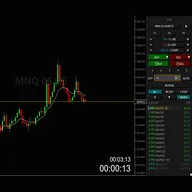
Valentin V.
Lead Quantitative Developer • Nexus Indicator • GitHub • LinkedIn
Valentin V. is the Lead Quantitative Developer at Nexus Indicator, specializing in developing high-precision tools and indicators for NinjaTrader 8. With over a decade of experience in C# and NinjaScript, he has helped hundreds of prop firm traders professionalize their execution workflows through technical discipline, systematic risk management, and automation.